20
RT-N12 Chapter 3: Conguring the clients
Windows
®
9x/ME
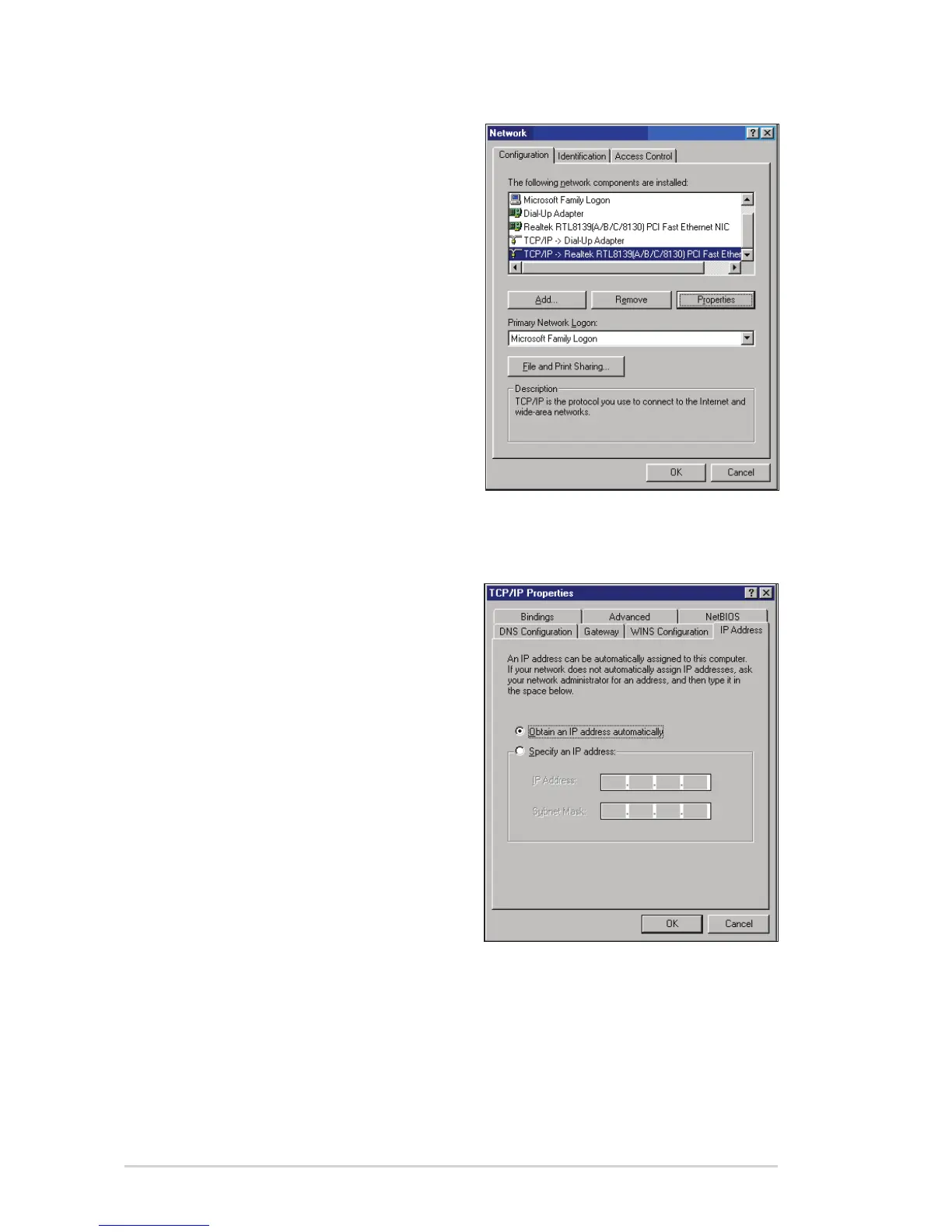
1. Click Start > Control Panel >
Network to display the Network
setup window.
2. Select TCP/IP then click
Properties.
3. If you want your computer to
automatically obtain an IP address,
click Obtain an IP address
automatically then click OK.
Otherwise, click Specify an
IP address, then key in the IP
address and Subnet Mask.



 To Next Page