Need help?
Do you have a question about the Asus Strix Raid Pro and is the answer not in the manual?
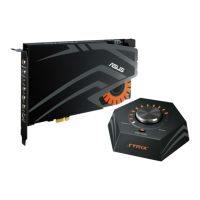
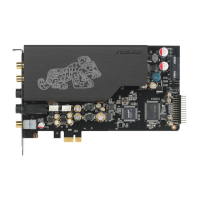
Explains the function of each numbered port on the STRIX sound card.
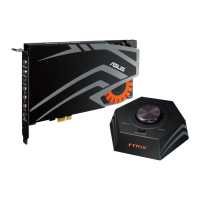
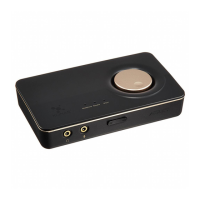
Details the ports and functions of the STRIX control box, including headphone and speaker connections.
Step-by-step guide on how to install the STRIX sound card driver from the support CD.
Solutions for issues preventing the installation of the audio card driver.
Steps to resolve issues where the Audio Center utility is not found.
Troubleshooting steps for no sound from analog speakers, including power and software settings.
Solutions for no sound from the S/PDIF output, checking connections and settings.
This document is a user manual for the ASUS STRIX Sound Card Series, encompassing the Strix Raid DLX, Strix Raid PRO, and Strix Soar models. It provides comprehensive instructions for installation, connection of peripherals, and software utility usage, alongside troubleshooting tips.
The ASUS STRIX Sound Card Series is designed to enhance the audio experience for PC users, particularly for gaming and entertainment. These sound cards provide high-fidelity audio output and input capabilities, supporting various speaker configurations and headphones. They integrate advanced sound processing algorithms and virtual surround effects to deliver immersive audio. The series includes models with a dedicated control box (Strix Raid DLX/PRO) for convenient on-the-fly adjustments, offering a more interactive user experience. The sound cards process audio signals, converting digital audio to analog for speakers and headphones, and analog input to digital for recording or processing. They support multiple audio channels, from stereo to 7.1 surround sound, catering to diverse audio setups.
The STRIX sound cards offer a range of features for versatile audio usage:
The manual provides guidance on driver installation and uninstallation, which are crucial for maintaining optimal device performance:
Overall, the ASUS STRIX Sound Card Series is designed for users seeking advanced audio performance and customization, with a focus on gaming and multimedia. The inclusion of a control box for some models enhances usability by providing quick access to key audio adjustments. Regular driver maintenance and adherence to troubleshooting steps ensure a smooth and high-quality audio experience.
 General
| Internal | Yes |
|---|---|
| Audio quality | 24 bit |
| Frequency range | 10 - 48000 Hz |
| Audio output channels | 7.1 channels |
| Digital-to-Analog Conversion (DAC) | 24-bit/192kHz |
| Line-in Signal-to-Noise Ratio (SNR) | 110 dB |
| Line-out Signal-to-Noise Ratio (SNR) | 116 dB |
| Line-in Total Harmonic Distortion (THD) | 0.000316 % |
| Line-out Total Harmonic Distortion (THD) | 0.003 % |
| Headphone outputs | 5 |
| Windows operating systems supported | Windows 7 Enterprise, Windows 7 Enterprise x64, Windows 7 Home Basic, Windows 7 Home Basic x64, Windows 7 Home Premium, Windows 7 Home Premium x64, Windows 7 Professional, Windows 7 Professional x64, Windows 7 Starter, Windows 7 Starter x64, Windows 7 Ultimate, Windows 7 Ultimate x64, Windows 8, Windows 8 Enterprise, Windows 8 Enterprise x64, Windows 8 Pro, Windows 8 Pro x64, Windows 8 x64, Windows 8.1, Windows 8.1 Enterprise, Windows 8.1 Enterprise x64, Windows 8.1 Pro, Windows 8.1 Pro x64, Windows 8.1 x64 |
| Volume control | Rotary |
| Processor model | High-Definition Sound |
| Full-Scale voltage | 5.65 V |
| Minimum storage drive space | 60 MB |
| Minimum RAM | 256 MB |
| Chipset | C-Media 6632AX |
| Harmonized System (HS) code | 84733020 |
 Weight and Dimensions
| Depth | 190 mm |
|---|---|
| Width | 130 mm |
| Height | 22 mm |


 To Next Page