7
3. Hardware Installation Guide
All data stored on the hard disk(s) will be erased and CANNOT be recovered. Please back up all important data before
initializing the system.
Tools Needed for Hard Disk Installation
At least one 3.5 inch SATA hard disk. (For a list of compatible hard disks, please see
http://www.asustor.com/service/hd?id=hd)
Hard Disk Installation
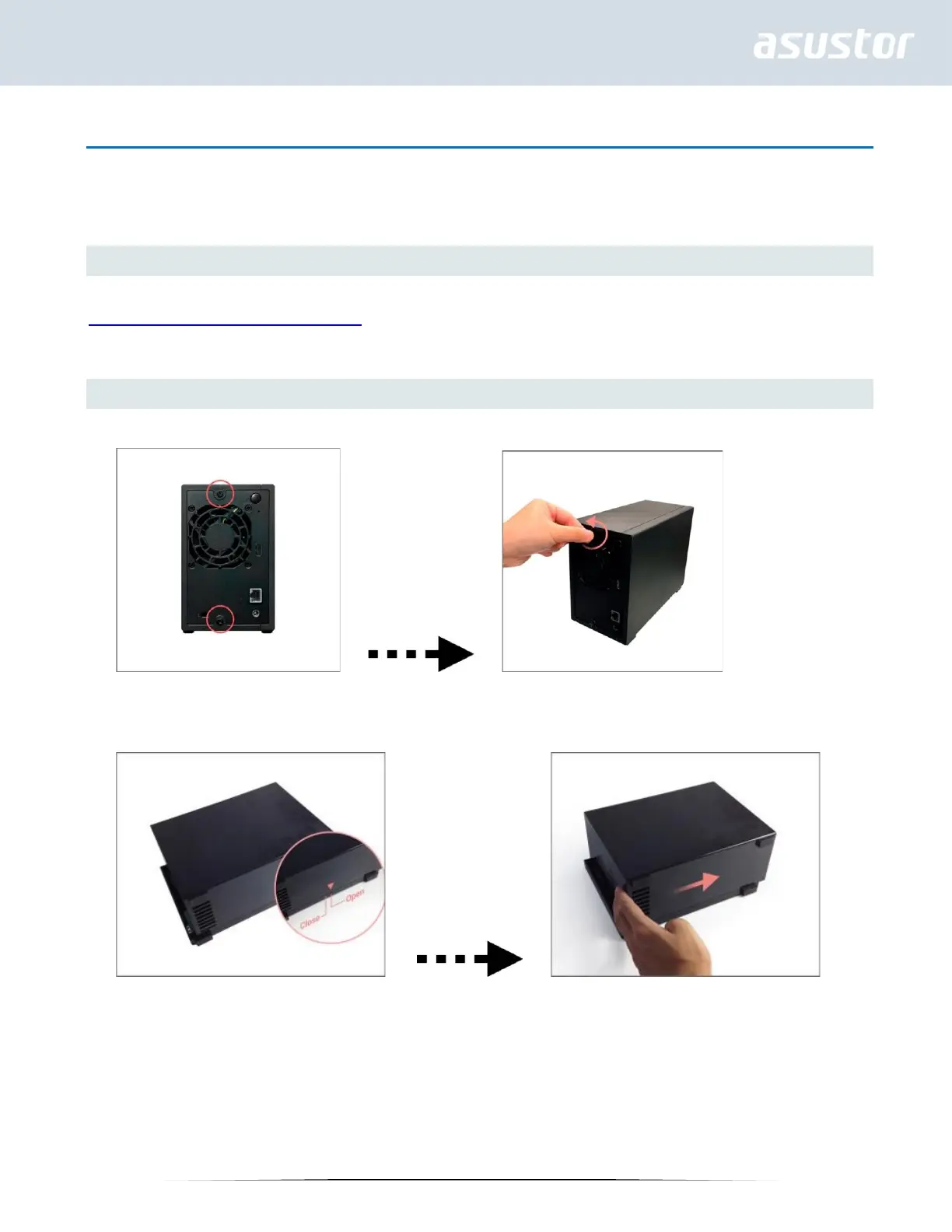
1. Remove the screws from the rear of the NAS as shown in the graphic below.
2. Place the device sideways on a flat surface. Note the wording indicating the directions for opening and closing the
cover. Remove the cover by sliding it in the direction shown in the graphic below.


 To Next Page