9
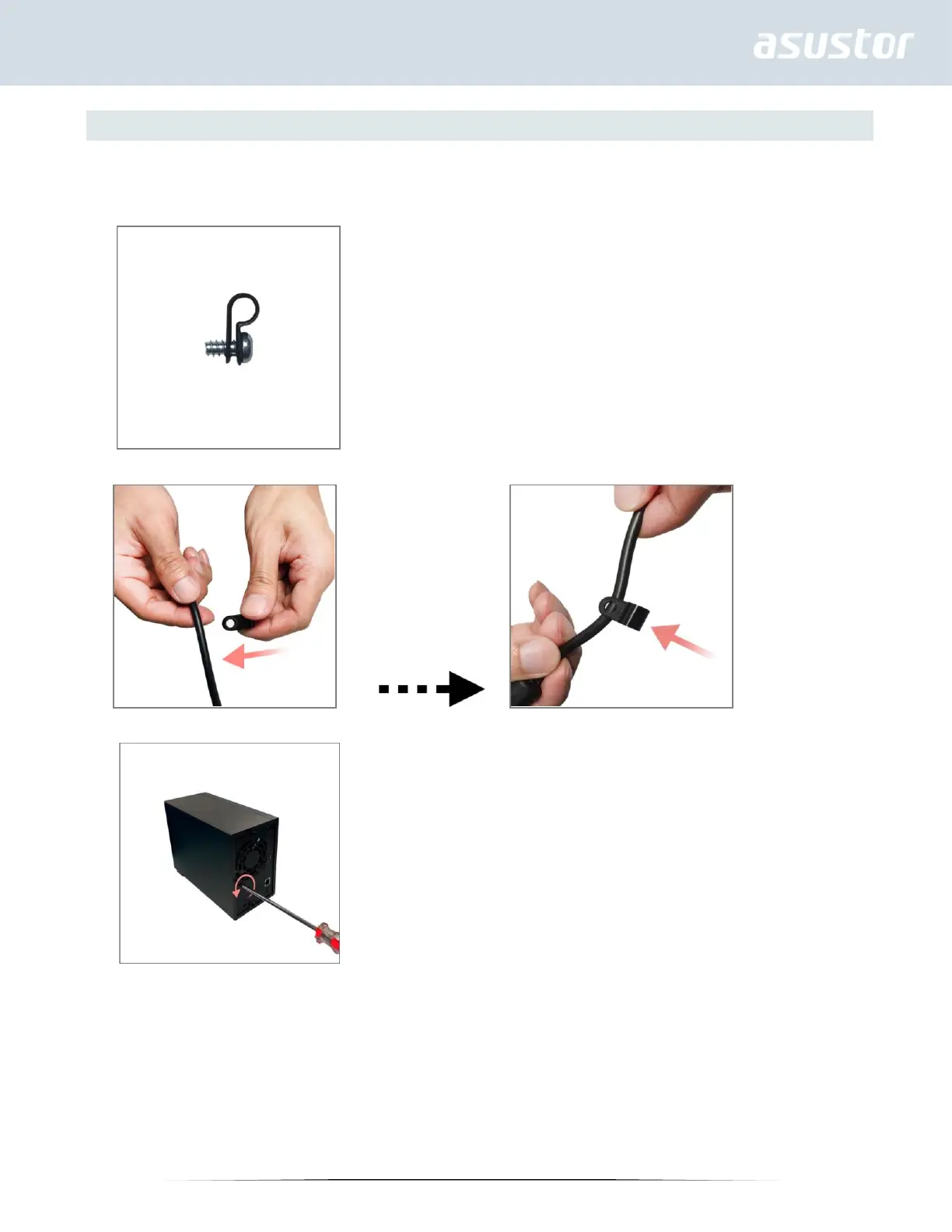
Securing the Power Cord
Note: You can use the provided cord bracket to secure the power cord in place, if you are concerned about the NAS
power cord becoming detached when the NAS is moved.
1. Take the cord bracket out of the accessories box.
2. Attach the bracket to the power cord as shown in the graphic below.
3. Remove the fan screw by unscrewing it counter-clockwise.


 To Next Page