
 Need help?
Do you have a question about the ASUSTOR Drivestor 4 PRO and is the answer not in the manual?
Details FCC compliance and potential interference issues, providing measures to correct interference.
Explains CE marking compliance with EEC directives for electromagnetic compatibility and safety.
Advises on safe use of the power adapter, unplugging before cleaning, and checking power input ratings.
Provides guidelines for operating the NAS safely, including placement, environment, ventilation, and avoiding foreign objects.
Lists the included accessories for AS3302T and AS3304T models, such as power cord, adapter, cables, and screws.
Informs users where to purchase optional accessories from the ASUSTOR Accessories Store.
Details the necessary tools like a Phillips screwdriver and compatible SATA hard disks for installation.
Guides on how to remove the front panel and pull out the disk tray using the latch for hard disk installation.
Explains how to mount 3.5" and 2.5" hard drives into the disk tray, including removing rails and using screws.
Describes how to slide the disk tray back into the NAS and secure it using the audible click of the latch.
Instructs to reattach the front panel after the hard disk installation is complete.
Provides instructions on using a cord bracket to secure the power cord, preventing detachment during NAS movement.
Explains how to connect the NAS to its power supply and the steps for powering it on.
Details connecting the NAS to a router via Ethernet and pressing the power button to turn it on, noting LED indicators.
Confirms hardware installation completion when the system status LED is steady green and a beep is heard.
Explains how to use ASUSTOR Control Center to scan the network and find NAS devices for installation on Windows.
Outlines the system initialization process, including appearance, time, date, security, and storage settings. Offers 1-Click and Custom Setup.
Guides Mac users on using ASUSTOR Control Center to discover and install NAS devices on their network.
Details the web installation method, which involves accessing the NAS via its IP address in a web browser for initialization.
Explains how to download and use the AiMaster mobile app to scan for and connect to the NAS for installation.
Guides users on selecting their NAS from the list found by the AiMaster app for initiating the installation process.
Instructs to select "Start Initialization" within the AiMaster app to begin the NAS configuration process.
Explains how the power button's long press (1.5 seconds) controls shutting down or entering sleep mode.
Details how to configure the power button behavior in the NAS settings, including options for shutdown and sleep mode.
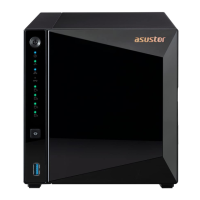
Provides a visual guide to the LED indicators on both AS3302T and AS3304T models and their meanings.
Details the color, description, and state of Power, System Status, Network, USB, and Hard Disk LEDs.
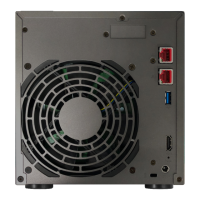
Identifies and describes the ports and features found on the rear panel of both AS3302T and AS3304T models.
Provides steps to check network connectivity, including ensuring devices are on the same LAN and checking network LEDs.
Advises disabling firewalls and adjusting computer IP settings (static IP) to facilitate NAS detection.
Details how to manually set the IP address and subnet mask on a computer to troubleshoot NAS detection issues.
Instructs to open ASUSTOR Control Center after configuring static IP settings to scan for the NAS.
Provides contact information for ASUSTOR support and links to the support website and knowledgebase for further assistance.
This document is a Quick Installation Guide for ASUSTOR NAS devices, specifically models AS3302T and AS3304T. It covers hardware installation, software setup, and basic troubleshooting.
The ASUSTOR NAS (Network Attached Storage) is a personal cloud storage device designed for home and small office use. It allows users to store, share, and access data across a network. The device supports multiple hard drives for data storage and offers various software features for data management, security, and multimedia.
Applicable Models:
Package Contents (for both models, quantities vary):
Hard Disk Compatibility:
LED Indicators:
Rear Panel Ports:
Power Button Functionality:
Environmental Conditions:
Hardware Installation:
Software Installation: The guide outlines four installation methods, with details provided for "Download Center Installation" and "Installation Using a Mobile Device."
[+] icon, then [Auto Discovery] to scan for the NAS.[Start Initialization] to begin the configuration process.System Initialization: The initialization process covers settings for appearance (Light/Dark mode), time and date, security, storage volume, registration, and app installation. Users can choose between "1-Click Setup" (optimized settings) or "Custom Setup" (manual configuration).
Shutting Down the NAS:
Safety Precautions:
Troubleshooting (Cannot detect NAS using ASUSTOR Control Center):
[Start] → [Control Panel] → [Network and Sharing Center].[Change adapter settings] on the left panel.[Local Area Connection] and select [Properties].[Networking] tab, select [Internet Protocol Version 4 (TCP/IPv4)] and click [Properties].[General] tab, select [Use the following IP address].[IP address] to 169.254.1.10.[Subnet mask] to 255.255.0.0.[OK].Regulatory Compliance:


 To Next Page
 General