This document is an installation guide for M.2 SSD drives in ASUSTOR AS67 Series NAS devices. It provides detailed instructions and precautions for users looking to upgrade or expand their NAS storage with M.2 SSDs.
Function Description
The ASUSTOR AS67 Series NAS devices are network-attached storage solutions designed for data storage, sharing, and management. This guide specifically addresses the process of installing M.2 SSD drives, which can be used for various purposes within the NAS, such as caching, storage pools, or as a boot drive, depending on the NAS model and configuration. The installation of M.2 SSDs allows users to enhance the performance and capacity of their ASUSTOR NAS.
Important Technical Specifications
While the document doesn't list the full technical specifications of the ASUSTOR AS67 Series NAS itself, it provides crucial information regarding M.2 SSD compatibility and installation.
- Compatibility: M.2 SSD drives for AS67 series devices must be compatible with the system. Users are advised to check the ASUSTOR compatibility list at
https://www.asustor.com/service/compatibility.
- Drive Type: The guide is specifically for M.2 SSD drives.
- Recommended Configuration: If installing two M.2 SSD drives, ASUSTOR recommends using drives of the same model for optimum performance.
- Tools Needed: A Phillips head screwdriver is required for the installation process.
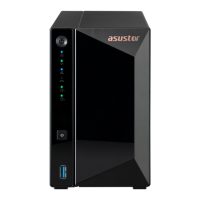
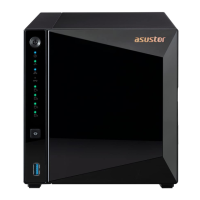
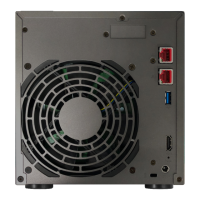
- Supported Models: The guide provides illustrations and instructions for AS6702T, AS6704T, and AS6706T models, indicating that these models support M.2 SSD installation.
Usage Features
The installation of M.2 SSDs can unlock several usage features for the ASUSTOR AS67 Series NAS:
- Performance Enhancement: M.2 SSDs, especially NVMe drives, offer significantly higher read and write speeds compared to traditional HDDs. This can improve overall NAS responsiveness, application loading times, and data transfer rates, particularly when used for caching or high-performance storage pools.
- Storage Expansion: M.2 SSDs provide an additional layer of storage, allowing users to expand the total capacity of their NAS beyond the traditional drive bays.
- Flexible Configuration: Depending on the ASUSTOR ADM (ASUSTOR Data Master) operating system's capabilities, M.2 SSDs can be configured for various roles, such as:
- SSD Cache: Accelerating frequently accessed data by using the SSDs as a read-only or read-write cache.
- Storage Pool: Creating a dedicated high-performance storage pool for specific applications or virtual machines that require fast I/O.
- System Volume: In some configurations, M.2 SSDs can be used as the primary system volume for faster boot times and system operations.
- Quiet Operation: SSDs have no moving parts, contributing to quieter NAS operation compared to systems relying solely on mechanical hard drives.
Maintenance Features
The document emphasizes several aspects related to maintenance and proper handling during the installation process to ensure the longevity and proper functioning of the NAS and the M.2 SSDs:
- Warranty Preservation: Users are advised to follow the instructions carefully to avoid invalidating the warranty. Any damage caused by improper installation may result in repair fees.
- Safety Precautions:
- Power Down: Always turn off the NAS and disconnect all cables, including the power cord, before beginning the installation.
- Electrostatic Discharge (ESD) Prevention:
- Avoid working on surfaces that generate static electricity easily (e.g., carpets).
- Ground yourself by touching an external metal object before handling the M.2 SSD or internal NAS components.
- Avoid touching any metal parts inside the NAS unnecessarily.
- Physical Handling:
- Be careful of sharp edges on the M.2 SSD drive, inner components, or circuit boards.
- Do not force the M.2 SSD into the slot; ensure correct orientation to prevent damage to the module, slot, or circuit board.
- Use a screwdriver that matches the size of the screws to prevent stripping.
- Do not remove or loosen screws not specified for removal.
- Troubleshooting: The guide includes a troubleshooting section for common issues after M.2 SSD installation, such as the NAS not starting or not recognizing the new drive. It advises checking LED indicators, system buzzer, and LCD display, verifying M.2 SSD compatibility, reinstalling the drive, and if issues persist, removing the new M.2 SSD and restarting the NAS.
- Technical Support: Contact information for ASUSTOR Technical Support (email, online support form, and online community) is provided for further assistance.
- Proper Reassembly: Instructions are given for replacing the cover and tightening screws, and reconnecting all cables, including the power cord, after installation.
The guide serves as a critical resource for users to safely and effectively install M.2 SSDs, ensuring optimal performance and reliability of their ASUSTOR AS67 Series NAS.

 Need help?





 To Next Page
 General