
 Need help?
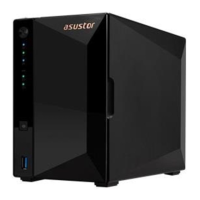
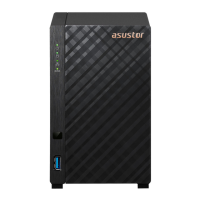
Do you have a question about the ASUSTOR Drivestor 2 and is the answer not in the manual?
Guidelines for safe power connection and cleaning the NAS.
Precautions for placement, environment, and handling to ensure safe operation.
Step-by-step instructions for installing 3.5-inch hard disks into the NAS.
 General
| Processor | Realtek RTD1296 Quad-Core 1.4 GHz |
|---|---|
| Drive Bays | 2 |
| RAID Modes | Single, JBOD, RAID 0, RAID 1 |
| Network Interface | 1 x Gigabit Ethernet |
| Wake-on-LAN (WOL) | Yes |
| Operating System | ADM (ASUSTOR Data Master) |
| Memory | 1 GB DDR4 |
| Maximum Capacity | 36 TB (18 TB HDD x 2, Capacity may vary by RAID types) |
| Drive Compatibility | 3.5" SATA HDD, 2.5" SATA HDD/SSD |
| USB Ports | 2 x USB 3.2 Gen 1 |
| HDMI Output | No |
| Power Supply Unit / Adapter | 60W External Power Adapter |
| Input Power Voltage | 100V to 240V AC |
| Dimensions | 165 x 102 x 218 mm |
| Certifications | FCC, CE, VCCI, BSMI, C-TICK |


 To Next Page