Getting started
5
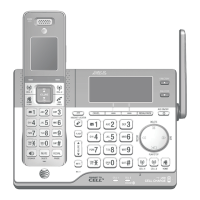
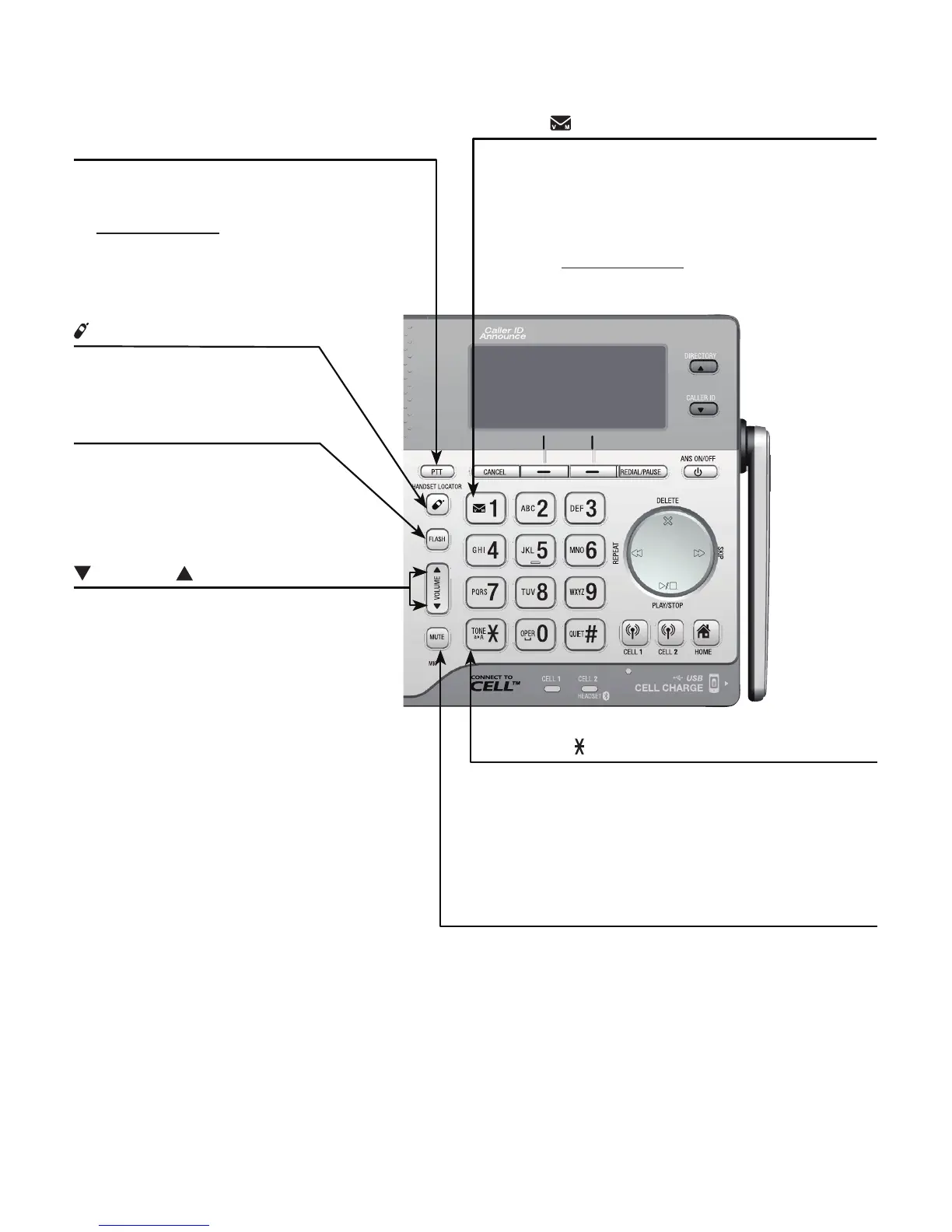
Quick reference guide - telephone base
VOLUME
Press to adjust the volume
during message playback
(page 117).
Press to adjust the listening
volume during a call (page 55).
When the phone is not in use,
press to adjust the telephone
base ringer volume for all lines
(page 34).
•
•
•
/HANDSET LOCATOR
Press the button to page all
system handsets (page 66).
1
While reviewing a caller ID history
entry, press repeatedly to add or
remove 1 in front of the telephone
number before dialing or saving it in a
directory (page 96).
Press and hold to set (page 39) or to
dial your voicemail number.
•
•
PTT
Press to display the PTT menu
to begin a PTT call.
Press and hold to begin a
one-to-group broadcast when
the telephone base is not in
use.
•
•
FLASH
During a call, press to
answer an incoming home
call when you receive a call
waiting alert (page 49).
TONE /a>A
Press to switch to tone dialing
temporarily during a call if you have
pulse service (page 57).
While entering names, press to change
the next letter to upper or lower case.
•
•
MUTE
During a call, press to mute the
microphone (page 56).
While the telephone base is ringing,
press to silence the ringer temporarily
(page 56).
•
•



 To Next Page
 Loading...