15
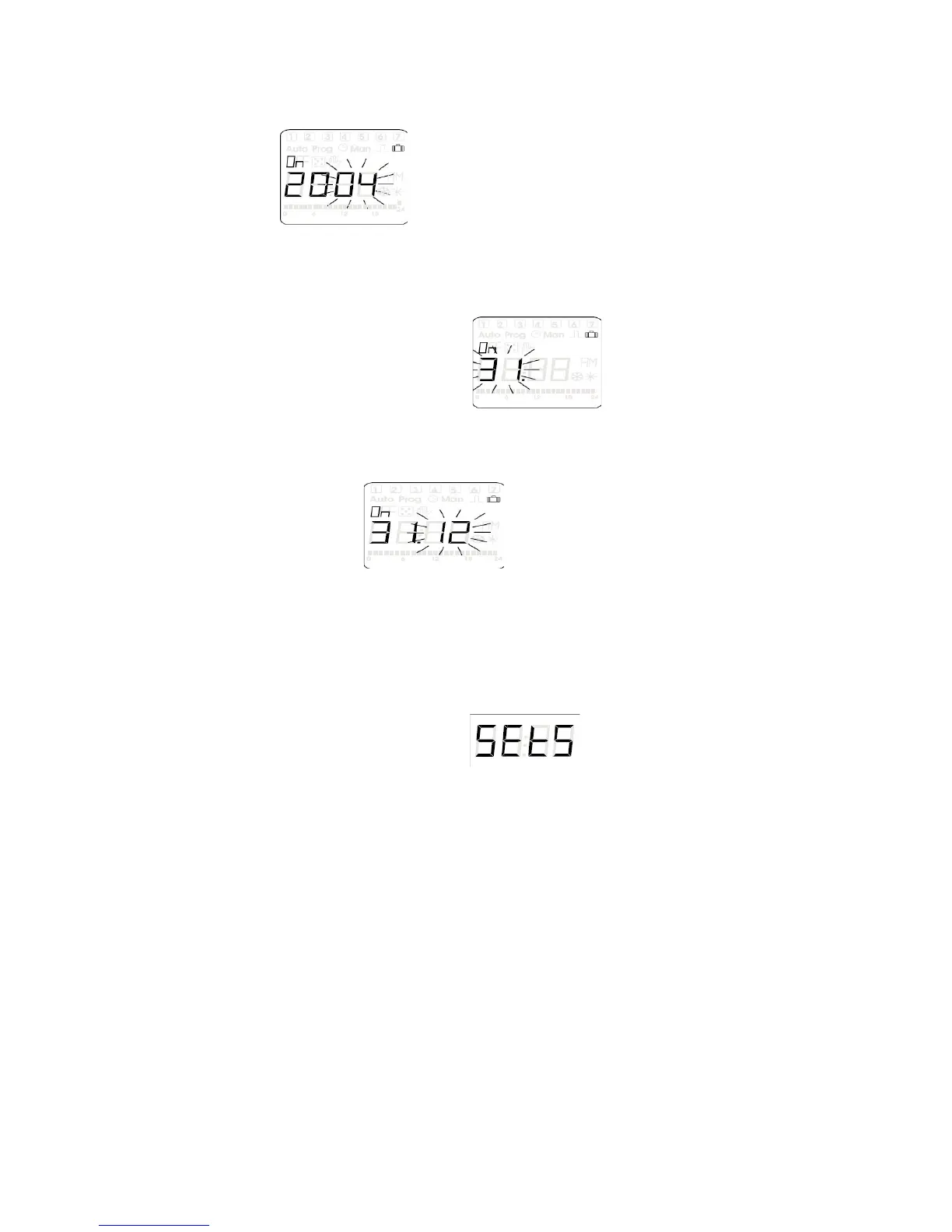
e) Press the (OK) button to enter the starting year for holiday mode
(once in the display should have the last to digits blinking)
f) By using the (+PRG) and the (-MAN) buttons you can change the year to
your desired starting year
g) Once you have the number on the correct year press the (OK) button to save
it to the memory and move to the next set up option
h) Device should have the first to digits blinking waiting for starting day over
holiday mode to be entered
i) Again use the (+PRG) and the (-MAN) buttons to change the two digits to the
correct day
j) Press (OK) button to enter the day into the memory of the unit
k) The day is still displayed on the first two digits and now the second two digits
are blinking
l) Once again by using the (+PRG) and the (-MAN) buttons you can scroll up
and down to change the numeric values of the month (1-12) to set the
starting month
m) Press (OK) button (Now unit’s display goes back to entering a year except
the word (OFF is now illuminated)
n) Repeat steps F through L to set the holiday mode ending year, date, and
time
o) Once (OK) button is pressing to enter the holiday modes ending month the
LCD display will go back to
p) Press the (MAN2 / ESC) button to return to original run mode


 To Previous Page