6
V.) Setting the Date and Time
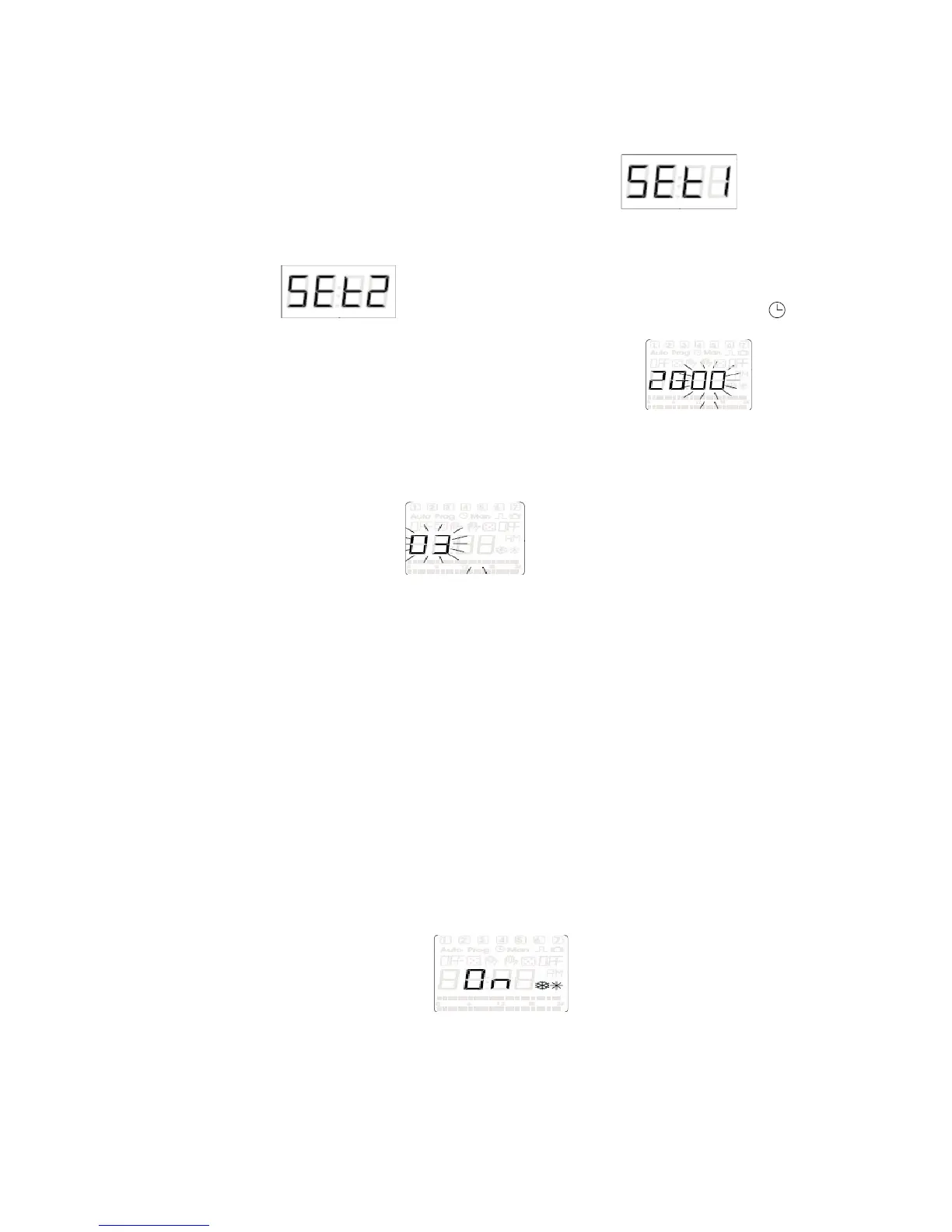
a) Press and hold the (+PRG) button for 3 seconds, is what
will display on the LCD screen (also you will see prog in the upper left corner
of the display)
b) Now press the (+PRG) button to move to the next program option,
is now shown on the LCD screen (also you will see a
symbol in the upper middle part of the display screen)
c) Press the (OK) button to enter the year setting menu (once in
the display should have the last to digits blinking)
d) By using the (+PRG) and the (-MAN) buttons you can change the year
e) Once you have the number on the correct year press the (OK) button to
save it to the memory and move to the next set up option
f) 7DT-2CH display should have the first two digits blinking waiting on a new
day to be entered
g) Again use the (+PRG) and the (-MAN) buttons to change the two digits to the
correct day of the month
h) Press (OK) button to enter the day into the memory of the 7DT-2CH
i) The day is still displayed on the first two digits and now the second two digits
are blinking
j) Once again by using the (+PRG) and the (-MAN) buttons you can scroll up
and down to change the numeric values to represent the month of the year
(1-12)
k) Press (OK) button
l) Now 24 is blinking (the unit will be in military time in this setting: example
13:30 is 1:30 P.M.)
m) Use the (+PRG) or (-MAN) buttons to choose between the 24 hours setting
or the 12 hour setting (In 12 hours setting unit uses a.m. and p.m.)
n) Press the (OK) button on either the 24 or 12
o) Now use the (+PRG) and (-MAN) buttons to set the hours digits of the timer
p) Press the (OK) button
q) Now use the (+PRG) and (-MAN) buttons to set the minutes digits of the
timer
r) Press the (OK) button to enter the data into memory
s) Now the unit will display On or OFF with two symbols representing summer
and winter to the right
t) Use the (+PRG) or (-MAN) buttons to scroll between the two chooses (On or
OFF)


 To Next Page