4
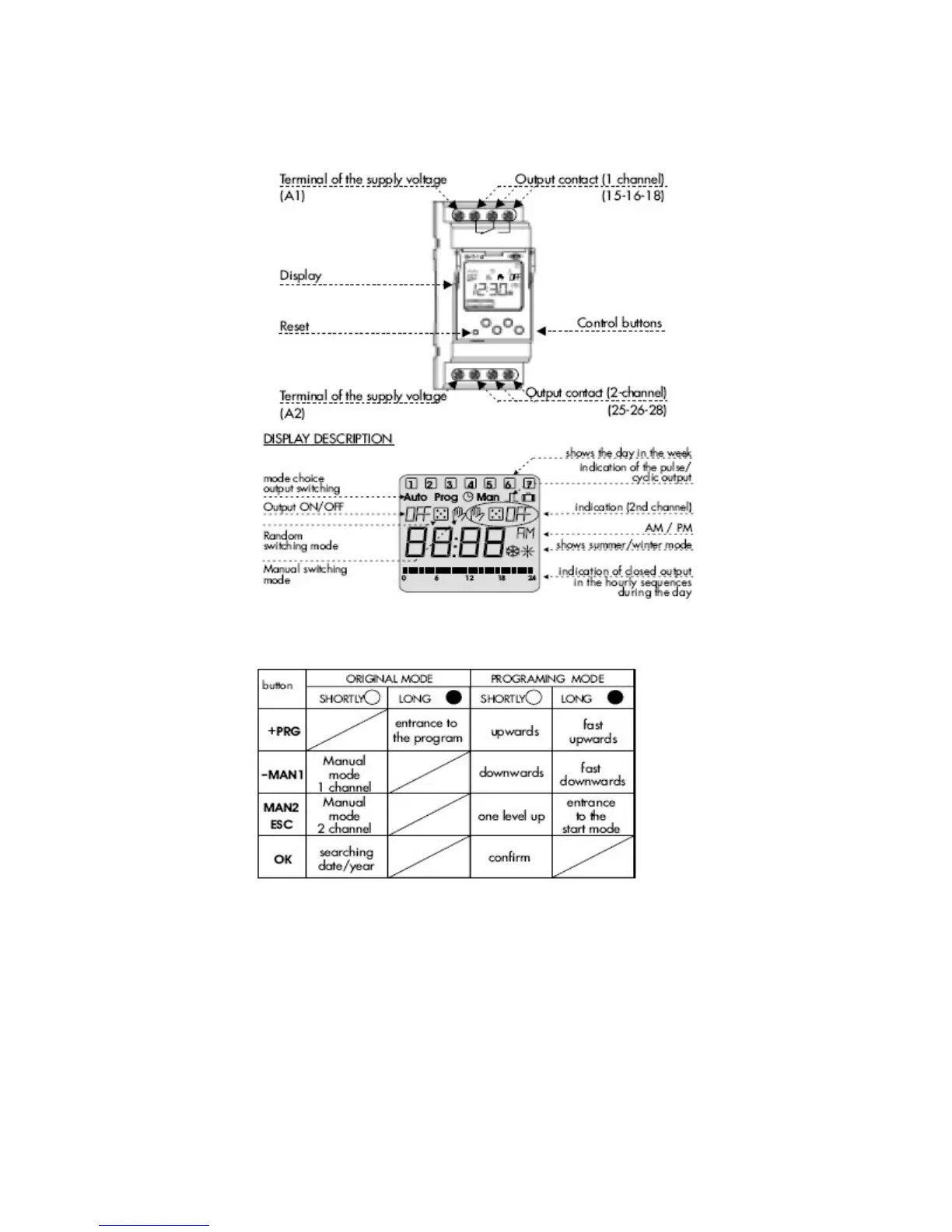
2.) Description of the Device
3.) Description of the Control Buttons and Modes
a)
There are four control buttons located on the face of the unit just below the
display
b)
First button going from left to right is the (PRG button) this button is used to
enter the program setup menus by pressing and holding it down for 3
seconds
c)
The PRG button has a plus sign (+) located right below the PRG on the face
d)
The next button on the right of the (+PRG) button is the (-MAN) button
e)
The (MAN) button can be quickly pressed while in the run mode operation to
quickly turn on output 1 on and off manually


 To Next Page