A10/A11/A10W/A11W IP Phone User Manual
ATCOM TECHNOLOGY CO., LIMITED www.atcom.cn
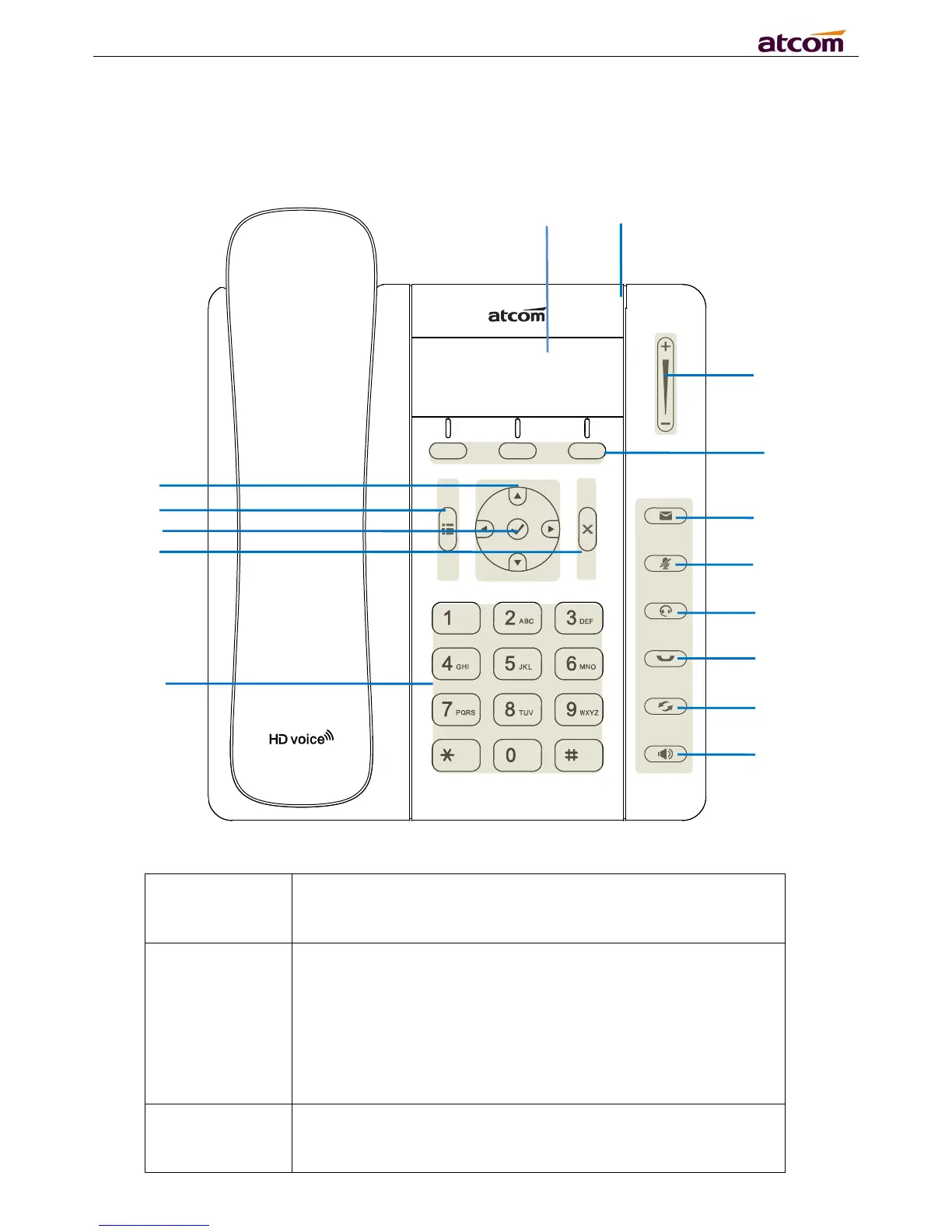
2.1 Describe of the buttons and Screen
Press to select a function which displayed at the softkey zone
of screen
Display all optional functions at the last line of LCD screen.
Indicates the phone’s status,
If the phone is being started ,the LED is on
If the phone is standby, the LED is off
If there is income calling, the LED will blink at 120ms on,
If there is a new message, the LED will blink at 600ms on,
All information such as date, time, phone number, incoming
caller’s ID(if available),line/call status, extension numbers and
the soft key features are displayed on it.



 To Next Page