A10/A11/A10W/A11W IP Phone User Manual
ATCOM TECHNOLOGY CO., LIMITED www.atcom.cn
Input the IP address in the web browser and press ‘Enter’ key to access A10/A11/A10W/A11W's user
webpage.
Click "admin" which is on the right top corner to enter administrator webpage.
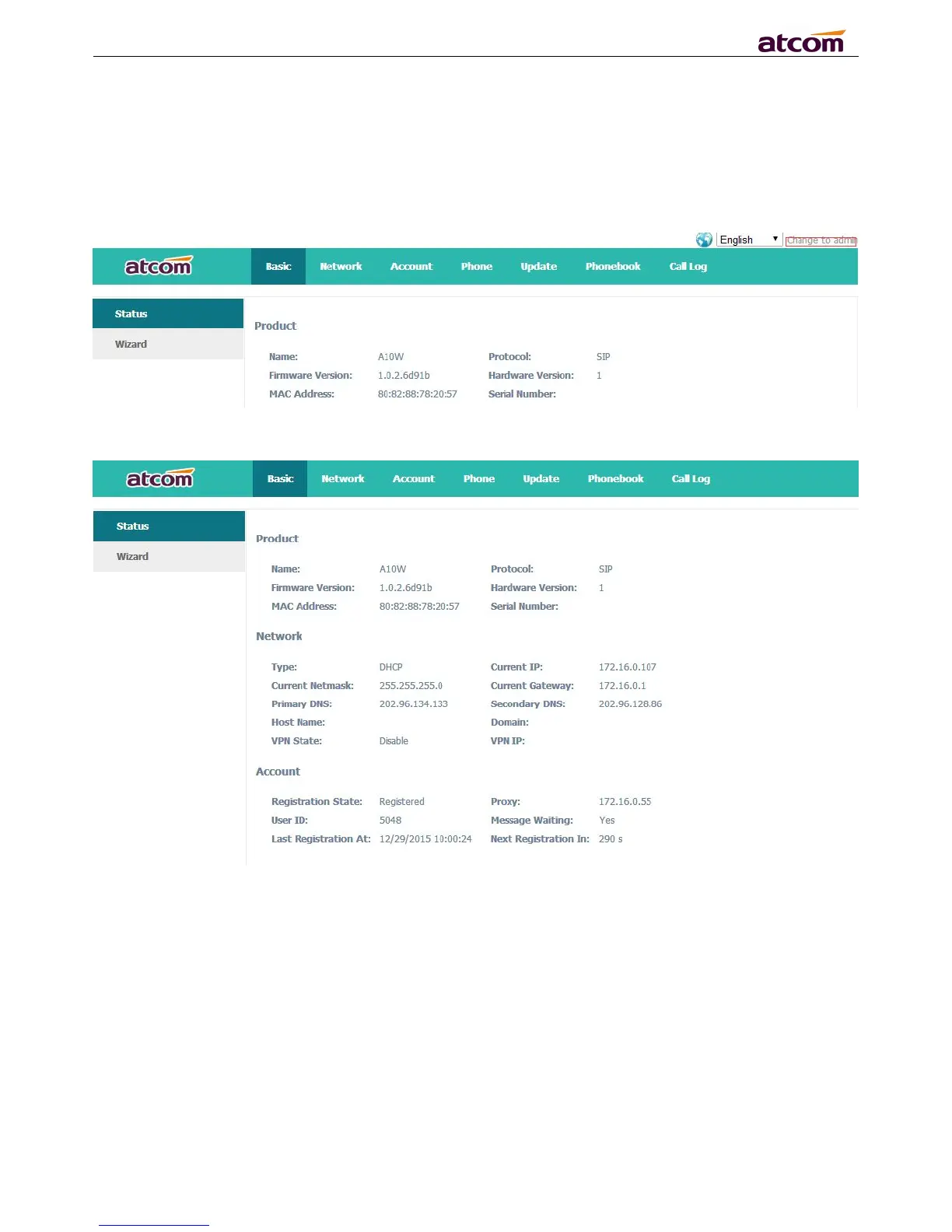
4.1 System status
This page shows the IP phone's system status.
1. Product Information shows the product name, protocol, software and hardware version, Mac
address and serial number.
2. Network Information shows the network connection type, IP address, netmask, gateway, DNS,
host name, domain and VPN information.
3. Account Information shows registration state, proxy, user ID, message waiting on or off , the
last and next registration time.



 To Next Page