A10/A11/A10W/A11W IP Phone User Manual
ATCOM TECHNOLOGY CO., LIMITED www.atcom.cn
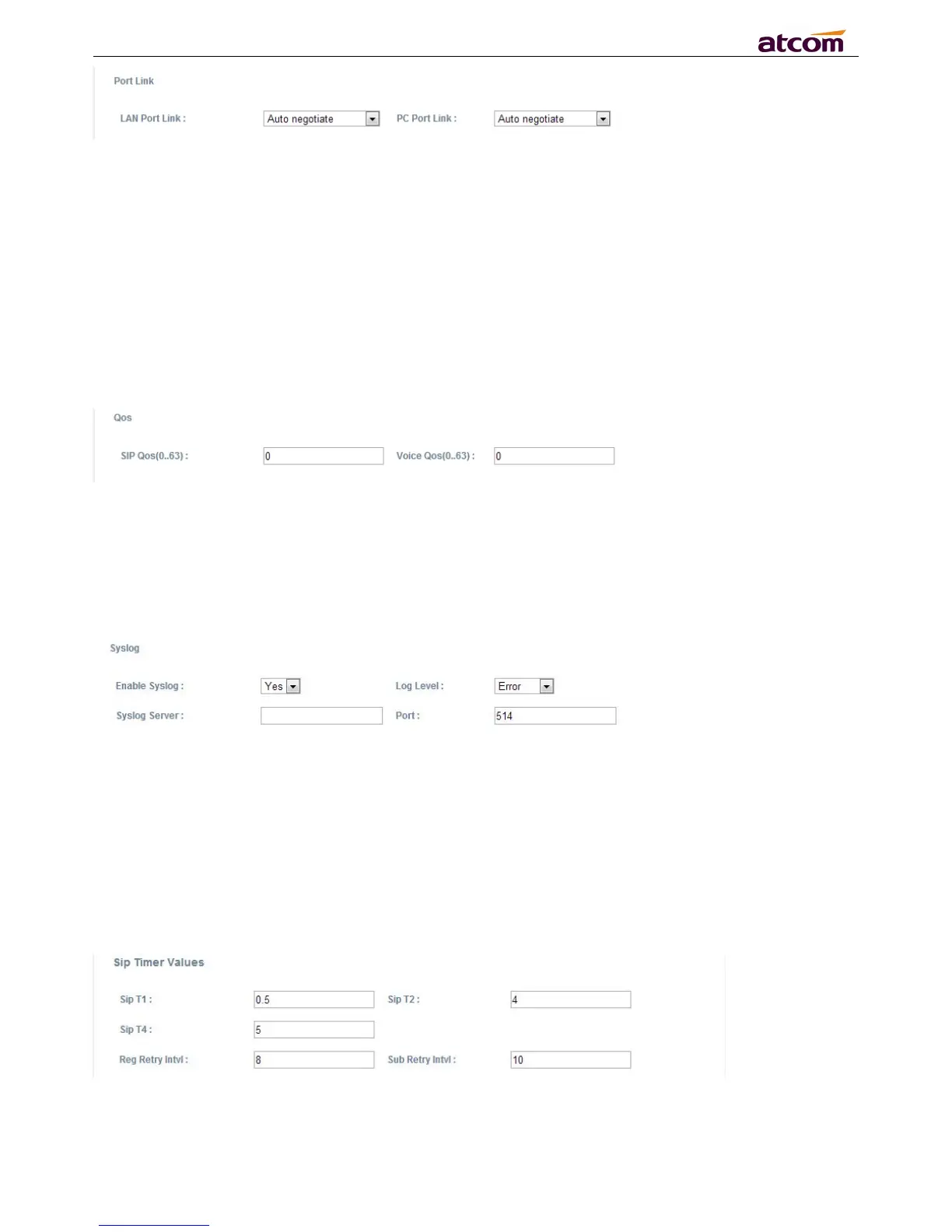
Choose the network type and port link of LAN/PC
1. LAN Port Link: Auto negotiate, full duplex 10Mbps, full duplex 100Mbps, half duplex 10Mbps, half
2. PC Port Link: Auto negotiate, full duplex 10Mbps, full duplex 100Mbps, half duplex 10Mbps, half
1. SIP Qos: Quality of service for SIP (Diffserv)
2. Voice Qos: Quality of service for RTP (Diffserv)
1. Enable Syslog: Select “Yes” or “No” to enable or disable syslog.
2. Log level: None,Alert,Critical,Error,Warning,Notice,Info,Debug. The debug level is the most
3. Syslog Server: Syslog Server address.
4. Port: Syslog server port, defaults to 514.
1. Sip T1: RFC 3261 T1 value (RTT). Range: 0 – 64 sec, defaults to 0.5
2. Sip T2: RFC 3261 T2 value (Maximum retransmit interval for non-INVITE requests and INVITE
responses). Range: 0 – 64 sec, defaults to 4
3. Sip T4: RFC 3261 T4 value (Maximum duration a message will remain in the network). Range: 0



 To Next Page