TH-1040-CT Page 4 of 6
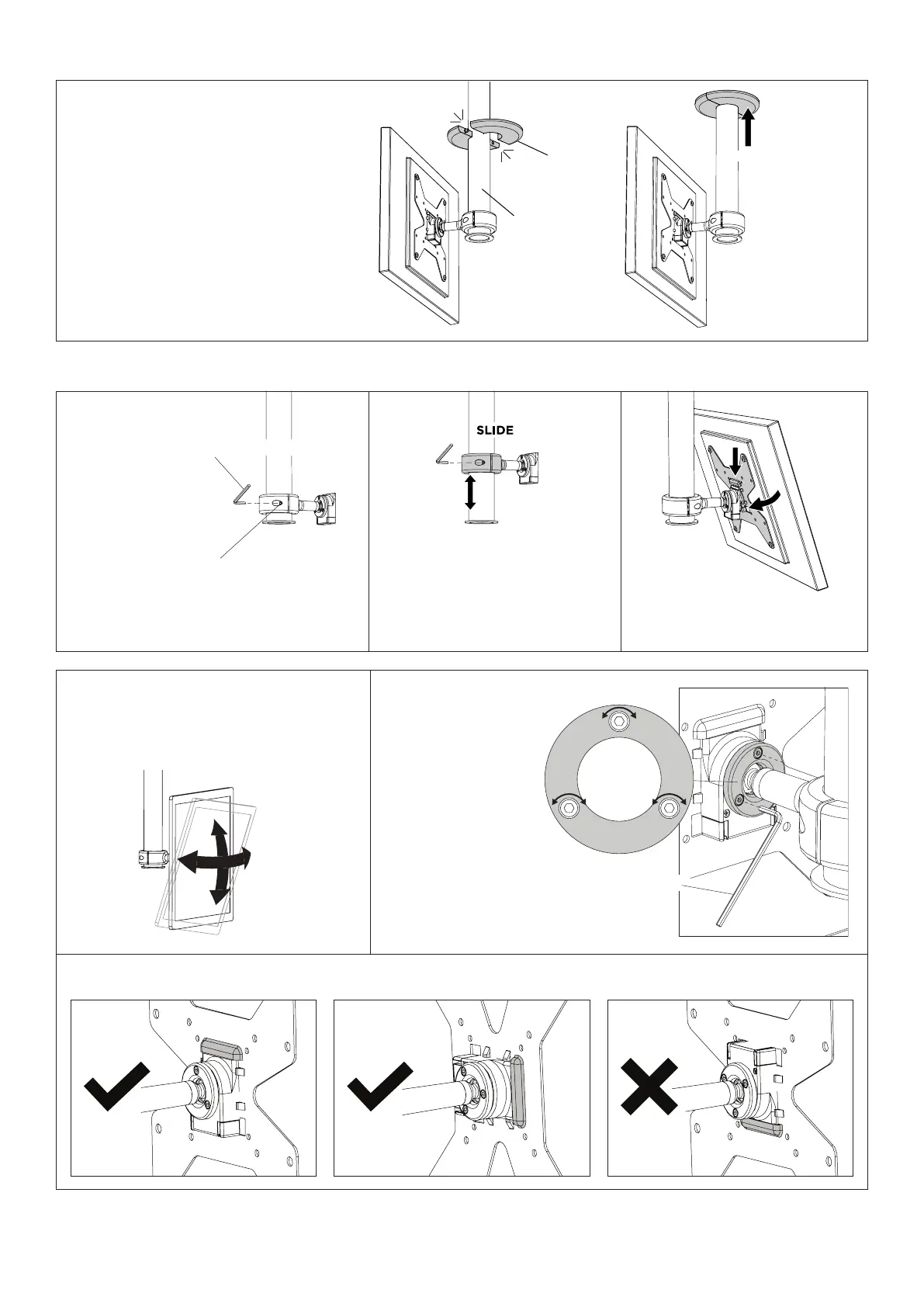
False Ceiling
Cover
CLICK
Lower Pole
PUSH
If the Lower Pole hangs
belowasuspendedceiling,
clip the False Ceiling Cover
overtheLowerPole,and
push up to the ceiling.
9. (OPTIONAL) Install False Ceiling Cover
ADJUSTMENTS
PAN
TILT
G - 3mm Hex Key
Firmly grip the display with two hands to
pan,tiltthedisplayupto20degreesand
rotate the display up to 90 degrees.
If the display is too
loose or too stiff
toposition,usethe
3mm Hex Key G to
evenly tighten or
loosen the ball joint
screws in small
increments to the
desired tension.
NOTE: Ball joint tension
mayneedtobeloosened,
adjusted and tightened to
set the desired position.
Ball Joint TensionDisplay Position
WARNING: Whenrotatingthedisplay,ensurethehookdetailonthedisplaybracketneverfacesdownwards.
Socket Cap Screw
G - 5mm Hex Key
Display Height
Socket Cap Screw
G - 5mm Hex Key
Socket Cap Screw
G - 5mm Hex Key
WARNING: Display must be removed.
Loosen Socket Cap Screws (x2) on the collar.
Slide the height of the Slide the
heightofthecollarasrequired.
Tighten Socket Cap Screws to lock.
Follow guide from step 7.


 To Next Page