Step 5
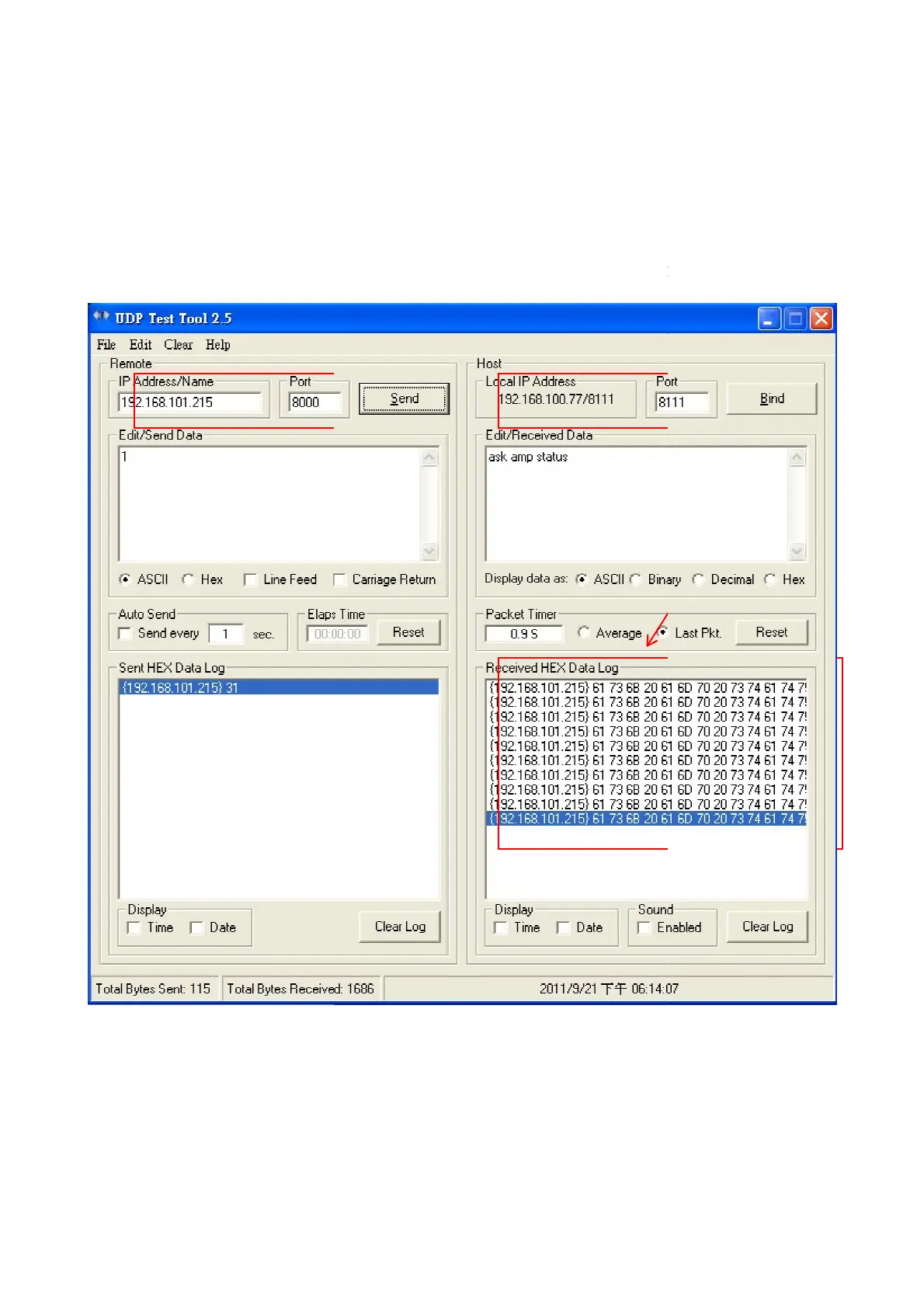
This UDP software is LAB test software and mean the other device
document(AMP-amplifier)
When in IT5 screen trigger "ask asp status" button, the UDP software will be received
and you need to press manually “send “ reply 0 or 1.
When reply is 1, "AMP ON / OFF" button of IT5 screen will sink state.
IT5's IP and command string use port 8000.
This port for command string and fixed.
This UDP software is LAB test software and mean the other device
When in IT5 screen trigger "ask asp status" button, the UDP software will be received
and you need to press manually “send “ reply 0 or 1.
When reply is 1, "AMP ON / OFF" button of IT5 screen will sink state.
IT5's IP and command string use port 8000.
This port for command string and fixed.
This UDP software is LAB test software and mean the other device
above
When in IT5 screen trigger "ask asp status" button, the UDP software will be received
When reply is 1, "AMP ON / OFF" button of IT5 screen will sink state.



 To Next Page