Audio format
Different audio formats can be coded and decoded by the PPM-IT5.
The selection is done between G.711 or G.722 or Linear 16bit / 16 kHz.
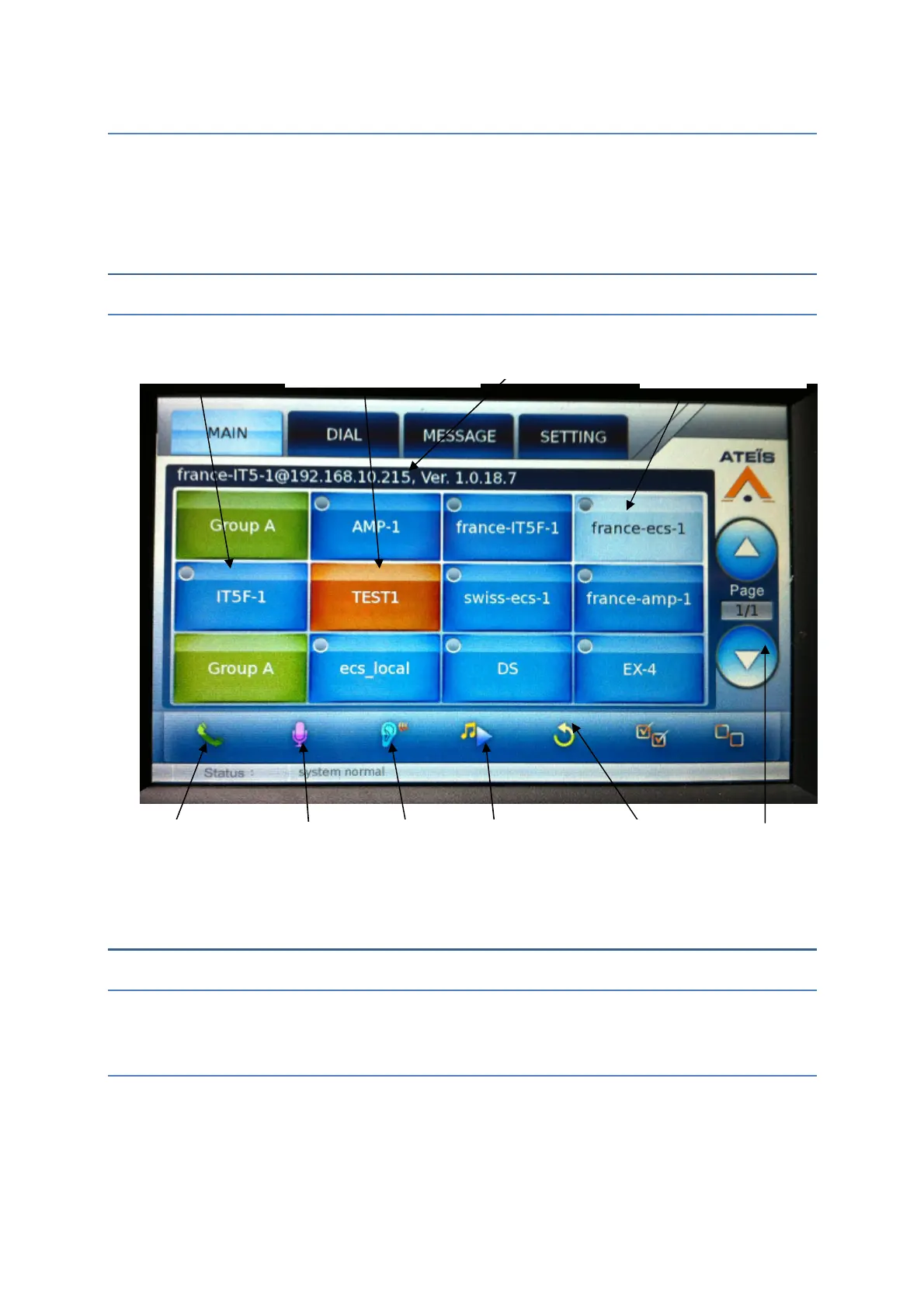
Touchscreen
Main
HOW TO
Know its IP address
The IP address of the device is written on the touchscreen.
Add a prerecorded message into the PPM-IT5
Into the PPM-IT5, there is 68Mo memory to add .wav files used as prerecorded
messages. To add a message into the device, go to:
Update ->Message -> Upgrade new message file
with chime
in a zone
of zones
a destination



 To Next Page