Use the PPM-IT5 with IDA8
On the IDA8 side:
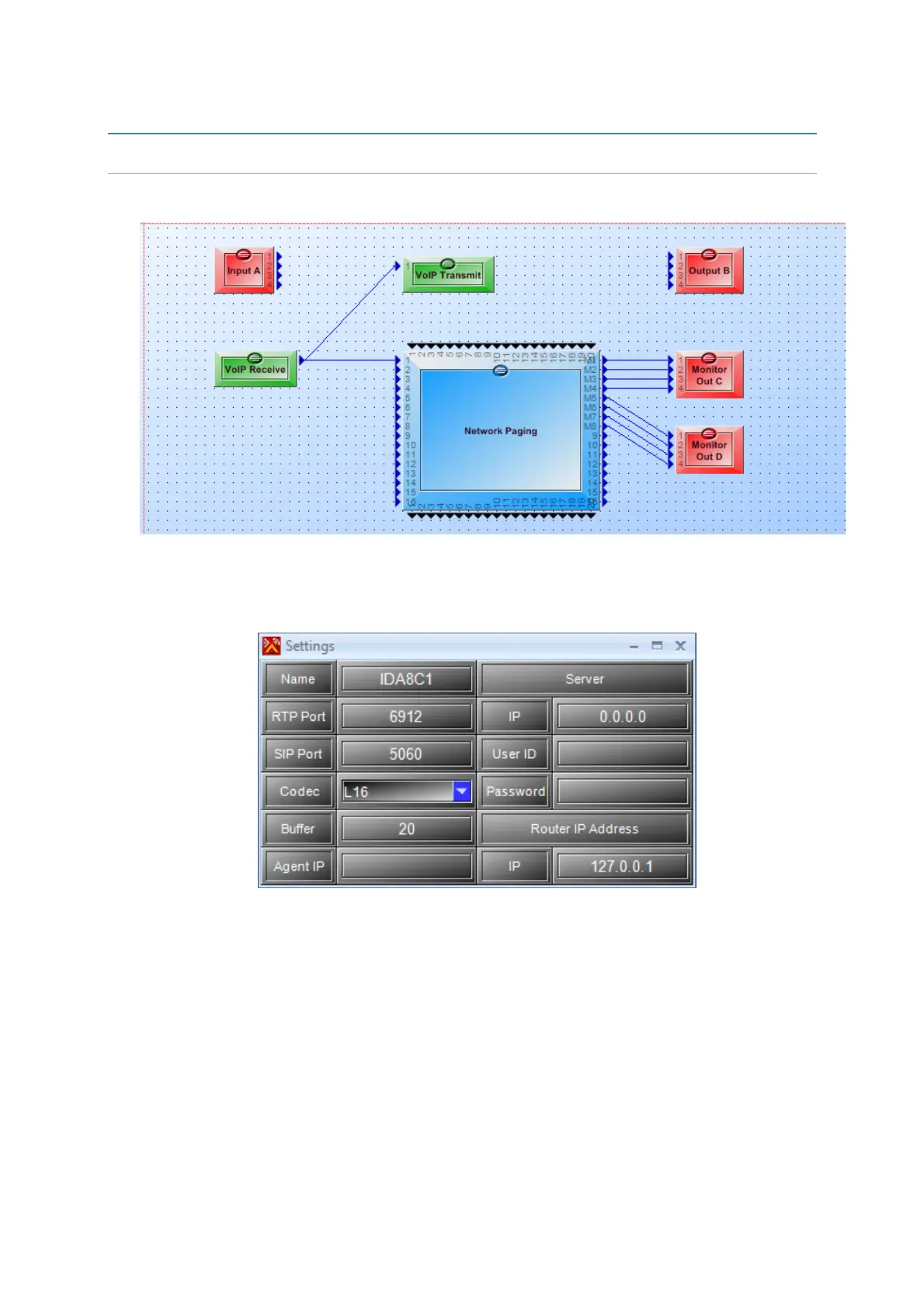
To test the communication between the IDA8 and the PPM-IT5, implement this configuration in
the IDA8 with the software Ateis Studio.
Open the VoIP Transmit component, and enter the RTP & SIP port. Choose the codec
and the name. Be careful, all theses settings must be exactly the same in the IT5.
The server settings are necessary if you use a SIP server.
In the contact manager, add the PPM-IT5 (name + IP address). Again the name must be
the exactly name given in the IT5’s webpage.



 To Next Page