T
P
c
W
Y
T
c
T
p
fa
la
T
- E
- E
- E
-
36
10 - Information on the system
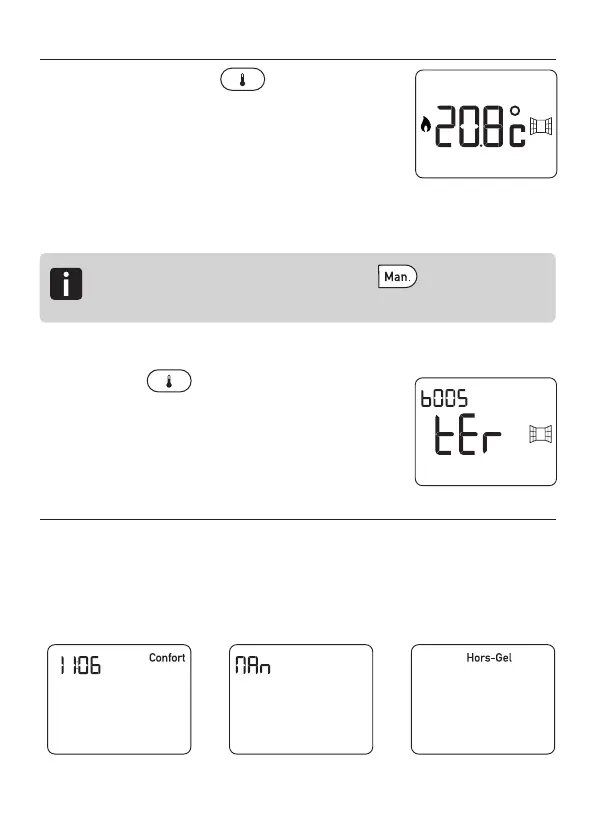
At any time, press the button to display
the following information:
- The temperature measured by the thermostat,
- The windows left open (if there are
associated detectors).
- The heating status.
- The total consumption of the associated heating elements.
Pressing the button for 3 seconds
starts the Boost function (Only operates on
the bathroom model).
11 - Standby
In order to save on battery use, the thermostat switches to
standby after 30 seconds.
Display based on the operating modes:
Automatic
mode
Simple thermostat mode
Frost Protection
mode
To reset the reading counter, Press for 3 seconds
from the shutdown mode.
2705157_rev3_not_TAP_ATERNO_SMART 17/12/2019 12:32 Page 36


 To Next Page