EN
35
9 - Weekly programming
You have the option of creating a
customised program for each day of the
week.
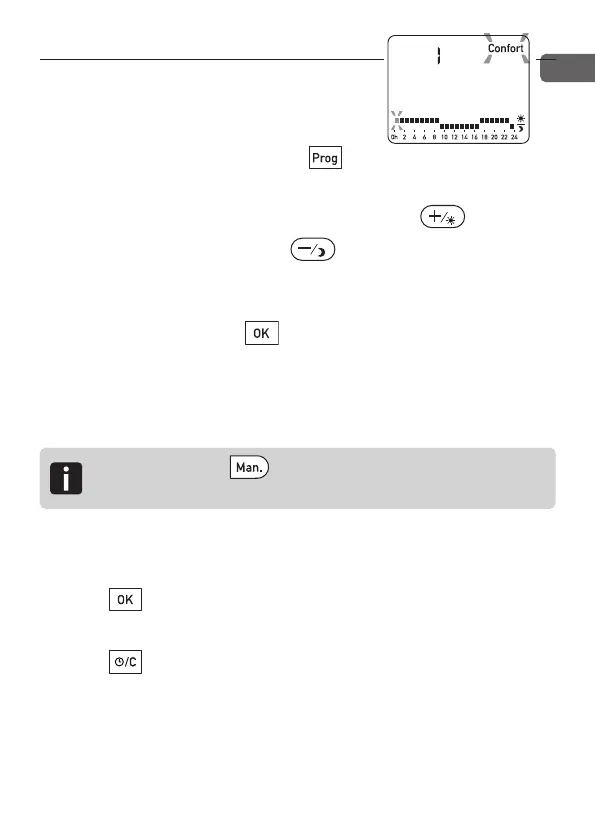
From Automatic mode, press the
button.
The first time slot flashes on and off. Press the button for
1 hour of Comfort or press the button for 1 hour of
Economy.
The next time slot flashes on and off. Repeat the operation for
each time slot. Press the button to validate the current
program and move to the n
ex
t day.
Validating day 7 also validates the whole week and returns you
to Automatic mode.
To exit the programming mode at any time:
- Press for approximately 3 seconds to validate the
current program and exit the mode.
- Press for approximately 3 seconds to exit the mode
without validating the current program.
n
Press the button for 3 seconds to validate
and copy the current program to the next day.
2705157_rev3_not_TAP_ATERNO_SMART 17/12/2019 12:32 Page 35


 To Next Page