EN
31
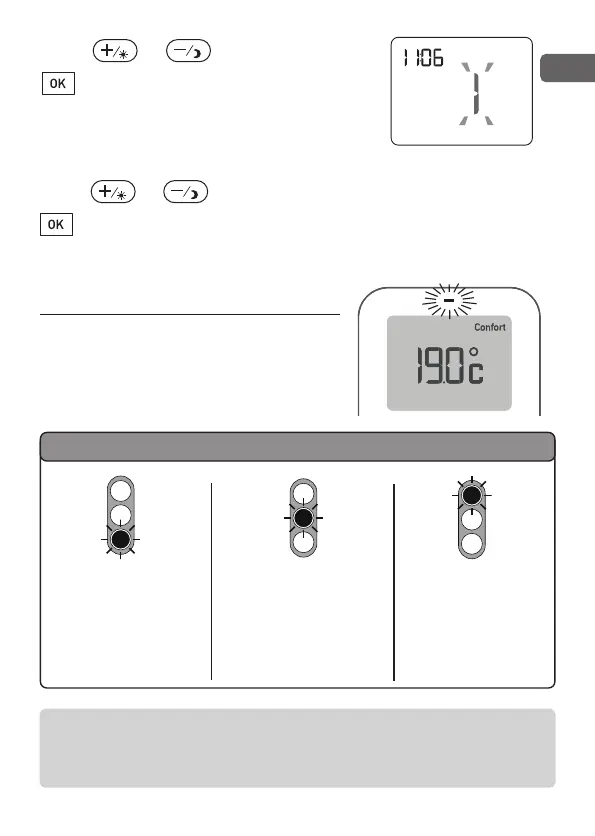
Press or to modify,
to validate and move on the day
setting. The day flashes.
Example: 1 = Monday, 2 = Tuesday, etc...
Press or to modify,
to validate and return to automatic mode.
6 - Performance indicator
When adjusting the Comfort settings
or in simple thermostat mode,
the colour changes based on the
temperature selected.
To use this function, the “performance indicator” parameter
must be activated as well as the backlighting.
(See § setting the parameters)
Green
Up to 19°C
(reduced
consumption)
Orange
from 19.5°C to 24°C
(average consumption)
Red
from 24.5°C to 30°C
(high consumption)
Indicator colours
2705157_rev3_not_TAP_ATERNO_SMART 17/12/2019 12:32 Page 31


 To Next Page