Aerosol Photometer
Aerosol Photometer - 2i 29
Thermal Printer Overview
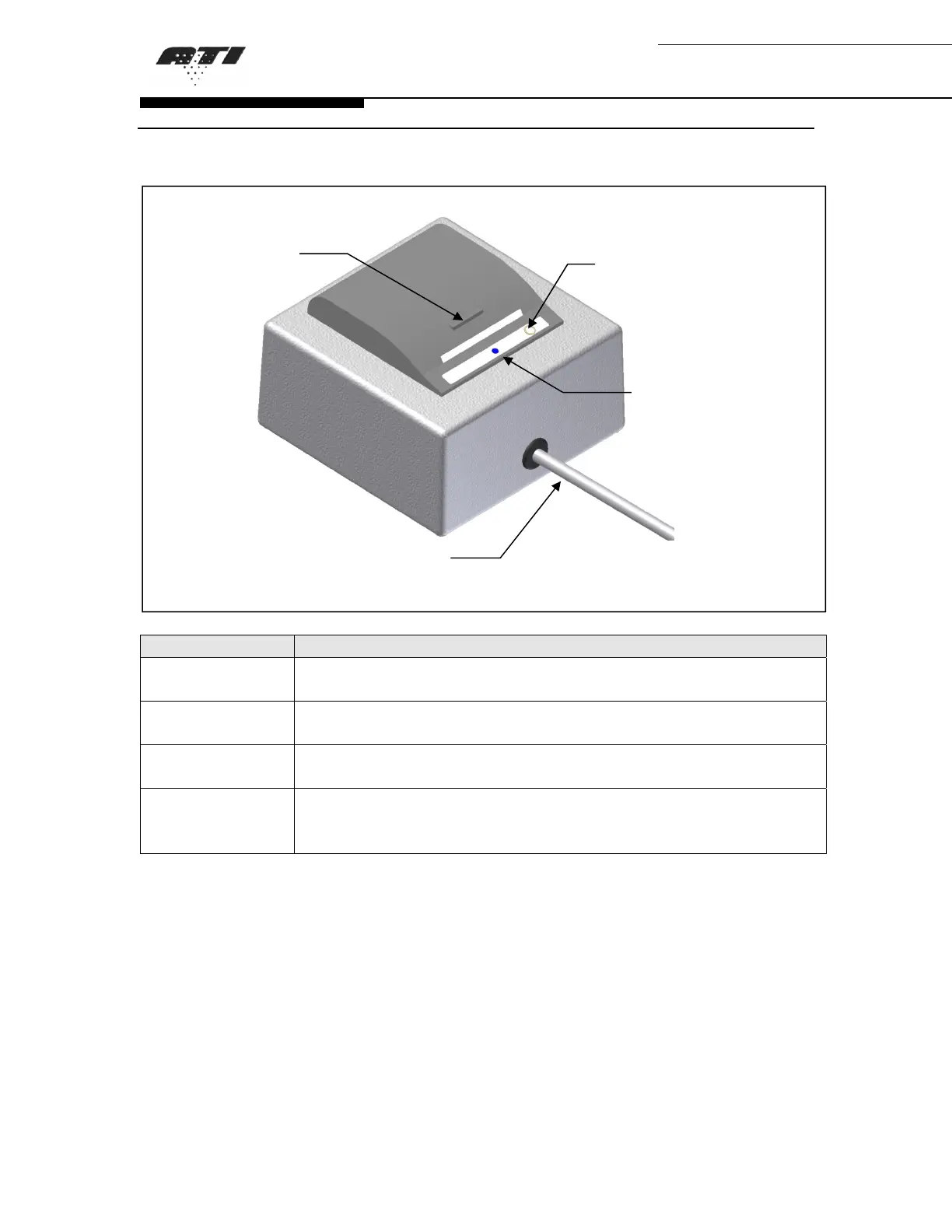
Figure 4: Thermal Printer Overview
Description Function
Latch Pulling on the latch will unlock and open the cover to allow
changing the paper roll.
Paper Feed
Button
Pressing this button feeds blank paper from the roll.
Blue LED Status Indicate the status of the printer. See “Troubleshooting Guide”
page 64 for more information.
Printer
Connection
Cable
Connects the printer the 2i base unit.
Latch
Printer
Connection Cable
Paper Feed
Button
Blue LED
Status


 To Next Page