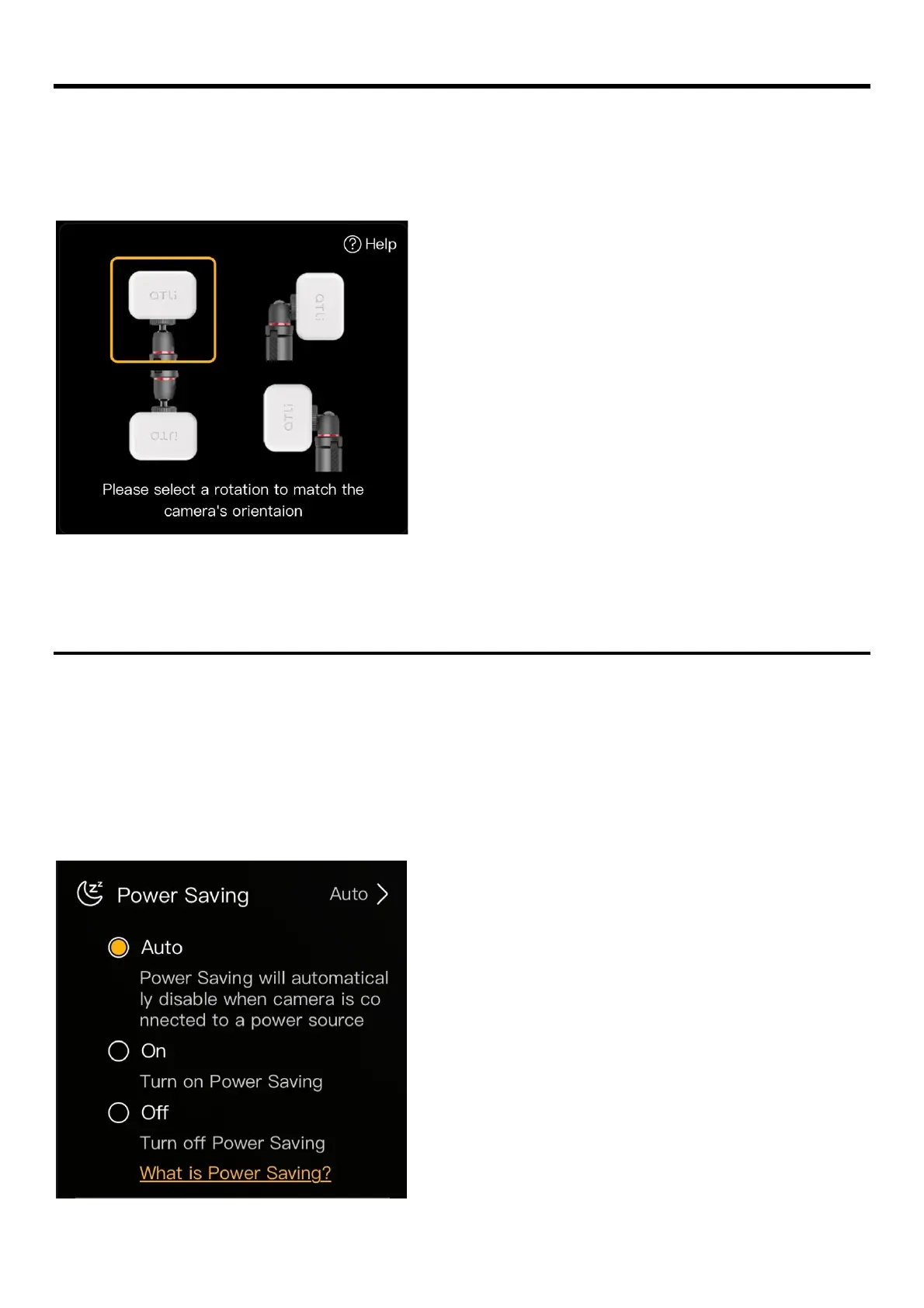
Orientation
The orientation setting automatically adjusts the on-screen image display for viewing and
recording.
Select a rotation that matches the orientation of the camera.
Power Saving
The Power Saving enables the camera to enter sleep mode in order to extend the battery life. This
feature only takes effect in an active recording session or an active schedule for recording.
When the camera is in power saving, the camera can be waked up by pressing the power button
momentarily 1 second. Users can then access the camera when the status LED turns green.
There are three available options: Auto, On, Off.
• Auto (By default):
Power Saving will be deactivated
automatically when the camera is connected
to an external power source.
• On:
Power Saving will be implemented
mandatorily.
The camera will enter sleep mode even when
it’s connected to an external power source.
• Off:
Power Saving off. The camera will not enter
sleep mode while it’s running.



 To Next Page