Time Slice
Use photo sequences to compose a Time Slice photo.
*T-100 Lite does not support Time Slice.
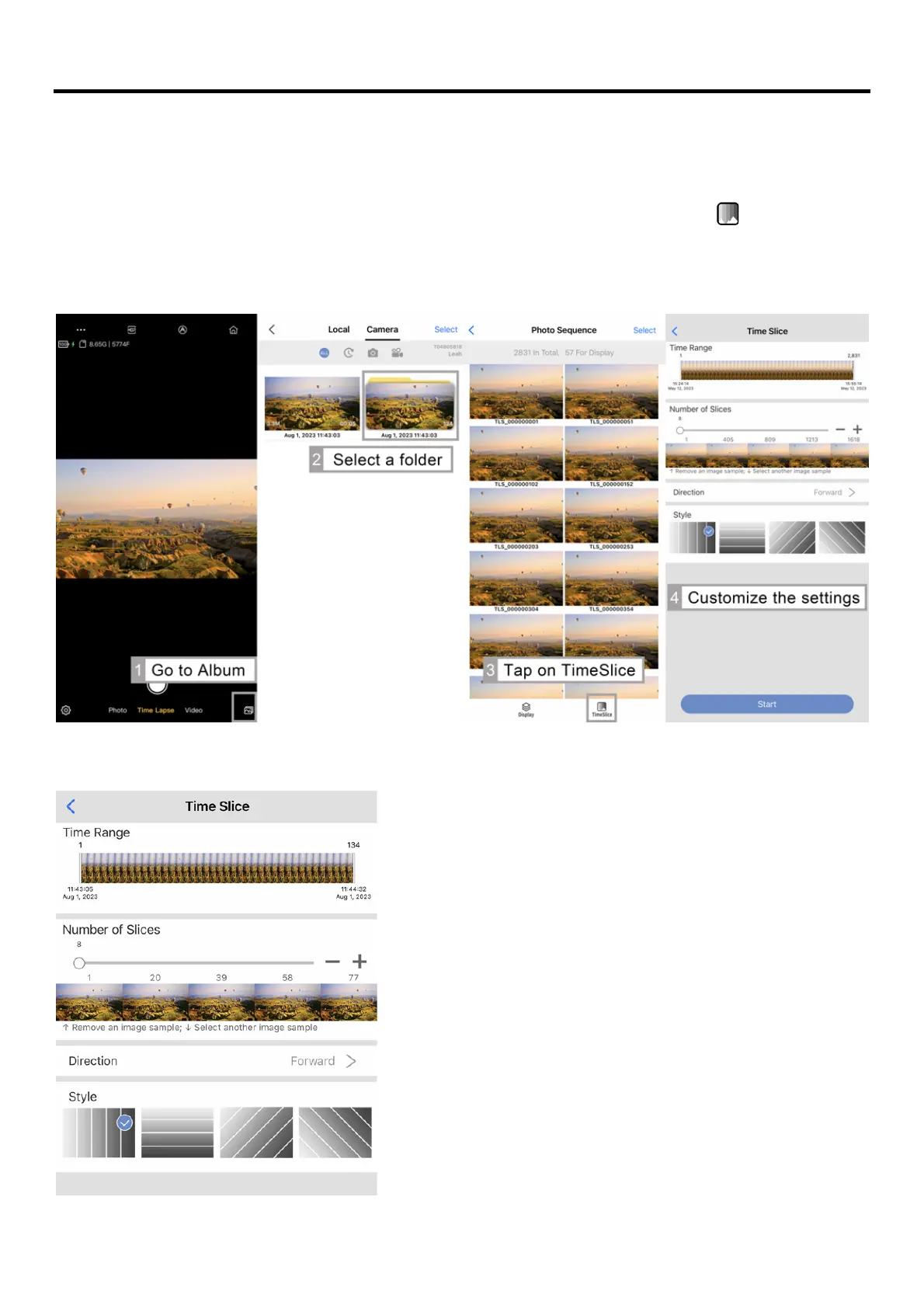
Go to the Camera Album > Select a photo sequence folder > Tap on Time Slice[ ] at the bottom
left > Customize the settings below to your preference in order to select the photos to be used to
create a Time Slice photo
Time Range:
Time range of the photo sequences.
Number of Slices:
The quantity of the slices. * A minimum
of
8
slices are required.
• Tap on thumbnail and drag it up to
remove the image.
• Tap on thumbnail and drag it down to
replace the image.
Direction:
• Forward- Slices display in forward
direction.
• Reverse- Slices display in reverse
direction.
Style:
Style of time slice.



 To Next Page