17
PARAMETER SETTINGS CONTINUED...
REVERB
REV: Simply double click the RVB button to turn the reverb on/off. Greyed out is off,
while green is on.
TYPE: Select from the following REVERB modes / styles:
SMALL: simulates the reverb of a small room.
MEDIUM: simulates the reverb of a medium-sized club or small hall.
LARGE: simulates the reverb of a large sized venue or large concert hall.
SPRING: simulates the reverb of a spring reverb tank.
SPRING2: simulates the reverb of a classic “D’Luxe”-type amp.
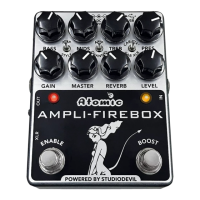
REVERB (Hardware knob): Controls the level of the reverb effect only. Adjust to
blend the right amount of reverb with your dry (unaffected) signal.
DRY LEVEL (dB): Allows you to change the dry (unaffected) signal level when the
REVERB effect is enabled. Usually, the dry signal is mixed equally (0dB) with the
REVERB effect. In cases where you want the dry signal much lower than the REVERB
effect (to accentuate the reverb), or want to increase the output level, you can adjust
it here.
DECAY (0-100%): Controls the decay time (size) of the reverb from 0% (minimum size)
to 100% (maximum size).
LOW-FREQUENCY DAMPING (0-100%): Controls the amount of dampening of low-
frequency (bass) in the simulated room acoustics from 0% (most amount of bass) to
100% (least amount of bass).
HIGH-FREQUENCY DAMPING (0-100%): Controls the amount of dampening of high-
frequency (treble) in the simulated room acoustics from 0% (least amount of treble) to
100% (full amount of treble).
DIFFUSION (0-100%): Controls the amount of stereo diffusion of the reverb from 0%
to 100%.
PREDELAY (milliseconds): Controls the amount of PREDELAY feeding into the reverb
unit. Used to simulate very large spaces where the first echo splash from the reverb
occurs only after a predelay time. Adjust from 0 to 100 milliseconds.


 To Next Page