21
GLOBAL SETTINGS
1/4” LEVEL (dB): Sets the output level of the 1/4” output jack. This is a relative level
in dB for a full scale digital output.
XLR LEVEL (dB): Sets the output level of the XLR output jack. This is a relative level in
dB for a full scale digital output.
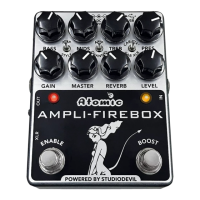
LEVEL KNOB: Clicking the window to the right of LEVEL KNOB or clicking the left and
right tab buttons in the window allow you to select which outputs the LEVEL KNOB
on the AMPLIFIRE-BOX will affect. The choices are NONE, 1/4”, XLR or BOTH.
The default setting is BOTH. If you’re using the AMPLIFIRE-BOX on stage you might
consider a selection of NONE for this parameter. In This scenario you would set the
levels with the virtual knobs 1/4” LEVEL ad XLR LEVEL in the editor. This way the
levels are set properly and you cannot accidentally move the LEVEL KNOB and affect
the signal going to your guitar amp of the P.A. System.
CLIP WARNING
AMPLIFIRE-BOX features a digital clip warning system to alert you whenever your
output signal is driven above the maximum digital levels.
If your signal clips one of the two (2) sets of outputs (1/4” or XLR), AMPLIFIRE-BOX
will display a CLIP WARNING by turning the normally yellow BOOST LED to red for 2
seconds.
The CLIP WARNING will remain displayed for as long as digital clips continue to occur.
The CLIP WARNING will automatically disappear after two seconds of no digital
clipping.
To help control digital clips, you can do one of the following:
• Reduce the LEVEL knob to lower levels.
• Reduce an amplifire and/or cab LEVEL within your preset which may be causing
excessive output.
• Adjust the EQ settings of your preset to lower excessive bass or treble
frequencies.
• Set the individual
1/4” or XLR
global settings to help reduce the output level of
each output.


 To Next Page