8
1 Getting Ready
Turning the power on
1 Lower the volume of the connected amp or speakers.
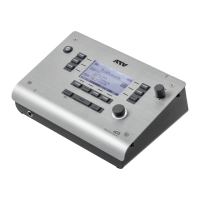
2 Long-press the power button of the aD5.
The power turns on.
Turning the power o
1 Lower the volume of the connected amp or speakers.
2 Long-press the power button of the aD5.
The power turns o.
All settings are saved.
* Disconnecting the AC adapter without turning o the power will cause malfunctions. You must turn o the
power by pressing the power button.
Turning the power o automatically (auto power-o)
If the aD5 has not been played or operated for 30 minutes, it automatically turns o the power
in order to conserve electricity. You can disable this function. For details, refer to the “Reference
Guide” PDF (p. 13).


 To Next Page