
 To Next Page

R
Rachel ScottAug 19, 2025
What to do if there is no sound from ATV aD5 OUTPUT?
- KKaren SchneiderSep 12, 2025
First, check if there is sound from the PHONES. Second, ensure that the System setting Local Control is ON.

What to do if there is no sound from ATV aD5 OUTPUT?
First, check if there is sound from the PHONES. Second, ensure that the System setting Local Control is ON.
Why does a specific pad on my ATV Drums produce no sound or insufficient volume?
There might be several reasons: the pad level could be lowered; an instrument might not be assigned to the pad; the pad's trigger setup might not be appropriate, so specify the correct model name of the pad; the trigger cable might not be connected correctly; or you might not be using the included multi-trigger cable.
What to do if striking a pad on ATV aD5 causes other pads to sound?
Execute the crosstalk cancel wizard.
Why does a specific zone’s sound not play correctly on ATV aD5?
The instrument's tone assign setting may have been changed, or the instrument's tone level could be lowered. Also, ensure that you have correctly specified the model name of the pad.
What to do if striking a pad on ATV Drums sounds two or three notes?
Make sure that you correctly specify the model name of the pad and execute the trigger setup wizard.
Why does a specific drum kit not produce sound or is not loud enough on my ATV Drums?
The kit volume could be lowered. Check and adjust the volume of the entire drum kit.
How to make it easier to play a rimshot on a mesh pad on ATV Drums?
In trigger setup, adjust Head-Rim Adj toward the R side.
How to troubleshoot a specific pad on ATV aD5 that produces no sound or insufficient volume?
If a specific pad on your ATV Drums produces no sound or has insufficient volume: * Check if the pad level is lowered. * Verify that an instrument is assigned to the pad. * Ensure the pad's trigger setup is appropriate by executing the trigger setup wizard. * Confirm the trigger cable is correctly connected. * Make sure you're using the included multi-trigger cable.
What to do if striking a pad on my ATV Drums causes other pads to sound?
If striking one pad on your ATV Drums causes other pads to sound, execute the crosstalk cancel wizard.
Why is a specific zone’s sound not playing correctly on my ATV Drums?
If a specific zone's sound on your ATV Drums is not played, is not loud enough, or is the wrong sound: * Check the instrument's tone assign setting. * Verify that the instrument's tone level is not too low. * Execute the trigger setup wizard for the pad.
Explains the audio connection options, including headphones and powered speakers.
Details on connecting drum pads, cymbal pads, and kick triggers using the multi-trigger cable.
Procedure for setting up crosstalk cancellation to prevent unintended triggering between pads.
Procedure for specifying pad response by selecting model names for accurate sound output.
Steps to adjust the hi-hat control pedal for correct operation and sensitivity settings.
Provides crucial safety information and symbols to prevent fire, electric shock, injury, or damage.
Details essential safety precautions for operating the aD5, including handling, power, and environmental considerations.
 General
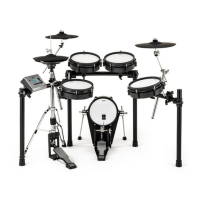
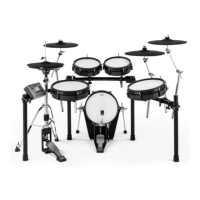
| Type | Electronic Drum Kit |
|---|---|
| Configuration | 5-Piece |
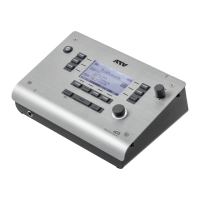
| Sound Module | aD5 |
| Connectivity | USB, MIDI, Audio Output |
| Tom 2 | 10-inch |
| Cymbal 2 | 14-inch |
| Ride Cymbal | 16-inch |
| Model | aD5 |
| Category | Drums |
| Power Supply | AC Adapter |
| Dimensions | Varies by component |
| Weight | Varies by component |
| Snare Drum | 12" aD-S12 |