Chapter 2
Front & rear panel
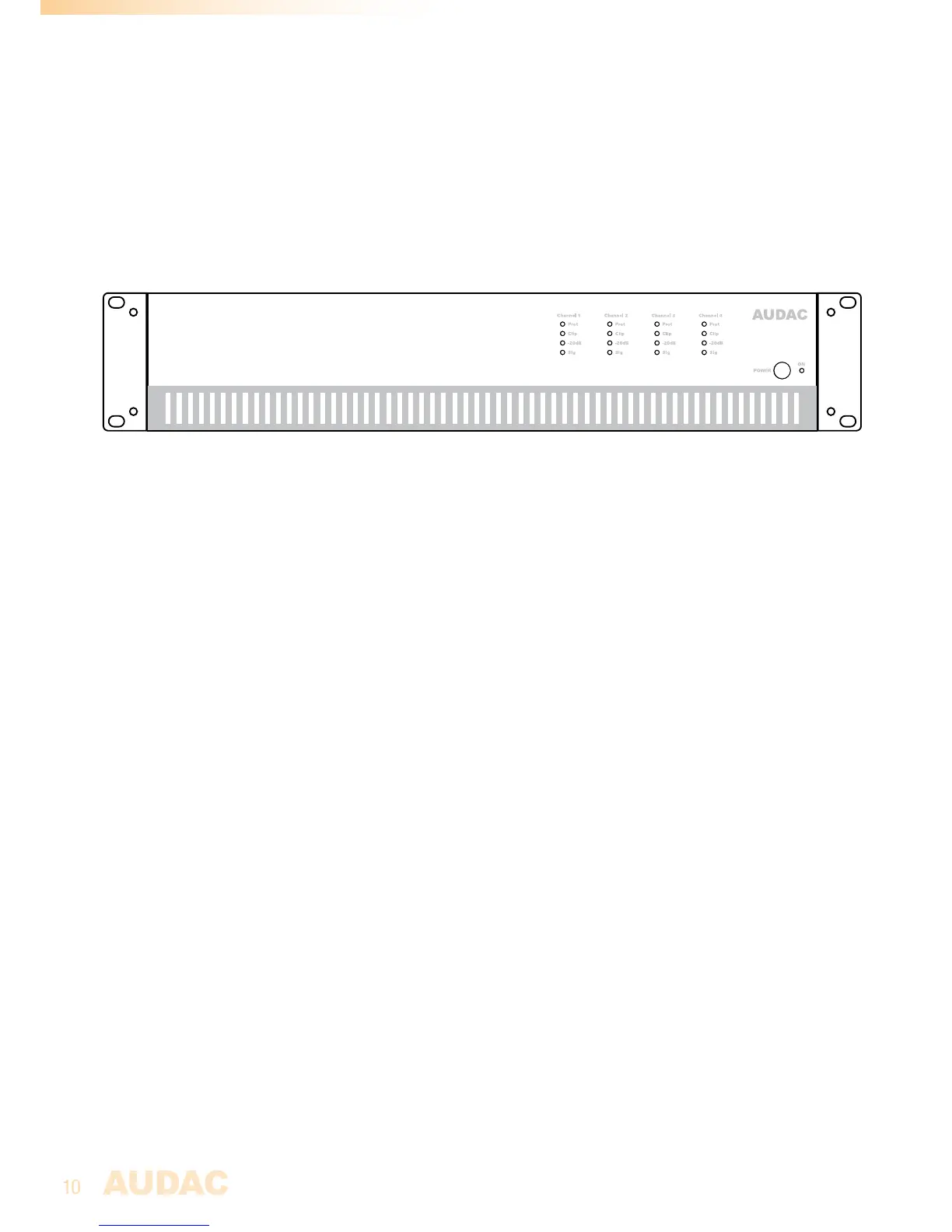
Front panel description
ThefrontpaneloftheCAPseriesslighlyvariesdependingoftheoutputconfigurationand
powerrating,butbasicallythepanellayoutforallCAPamplifiersissimilar.
Power switch
Apowerswitchallowstoswitchtheamplifieronandoff,whiletheblueindicatorLED
locatednexttothebuttonilluminateswhenthepowerisswitchedon.
Indicator Led’s
FourLED’sforeverychannelindicatetheoperationoftheamplifier.ThegreenSignal
LEDilluminateswheneverasignalispresent,whilethe-20dBLEDilluminateswhenthe
inputsignalexceedsthe-20dBulevel.TheClipLEDilluminateswhenthecorresponding
channelisworkingatmaximumlevel.Toensurethebestsignal-to-noiseratio,theClip
LEDmayonlyilluminateatpeaklevels.
WhentheClipLEDilluminatesfrequently,theamplifierwillbeoverloaded,adistorted
“Clipping”soundwillbeavailableontheoutput.TheProtectionLEDwillilluminatewhen
overheatingoccurs,oranyotherfaultisdetected.WhentheprotectionLEDisilluminated,
nosignalwillbeavailableontheoutputs.TheprotectionLED’swillalsoilluminatefora
fewsecondswhenpoweringuptheamplifier,andwhentheamplifierisswitchedoffthey
willslowlyfadeout.
Front Panel overview
CAP424



 To Next Page