3
Quick Start Guide
3.2 Turning ON/OFF - 2 Options
NOTE: please refer to the diagram on 2.2
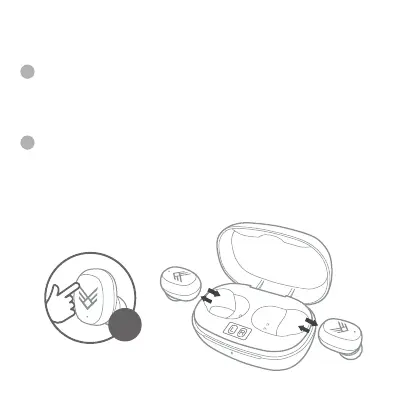
The first option is when your earphones are turned o, touch and
hold the Multi-Function button (A) for 3 seconds to turn ON your
earphones. If your earphones are already ON, touch and hold the
Multi-Function button (A) for 5 seconds to turn OFF your
earphones.
The second option is when you remove your earphones from the
Charging Case Station they will turn ON automatically. When you
put them back in the charging station and close the lid they will turn
OFF automatically and begin to charge if needed.
1
2
3S
ITEM: AOREFR



 To Next Page