16
©2023 by AUDEMO-SYSTEMS®, Schatzbogen 62, 81829 München V3
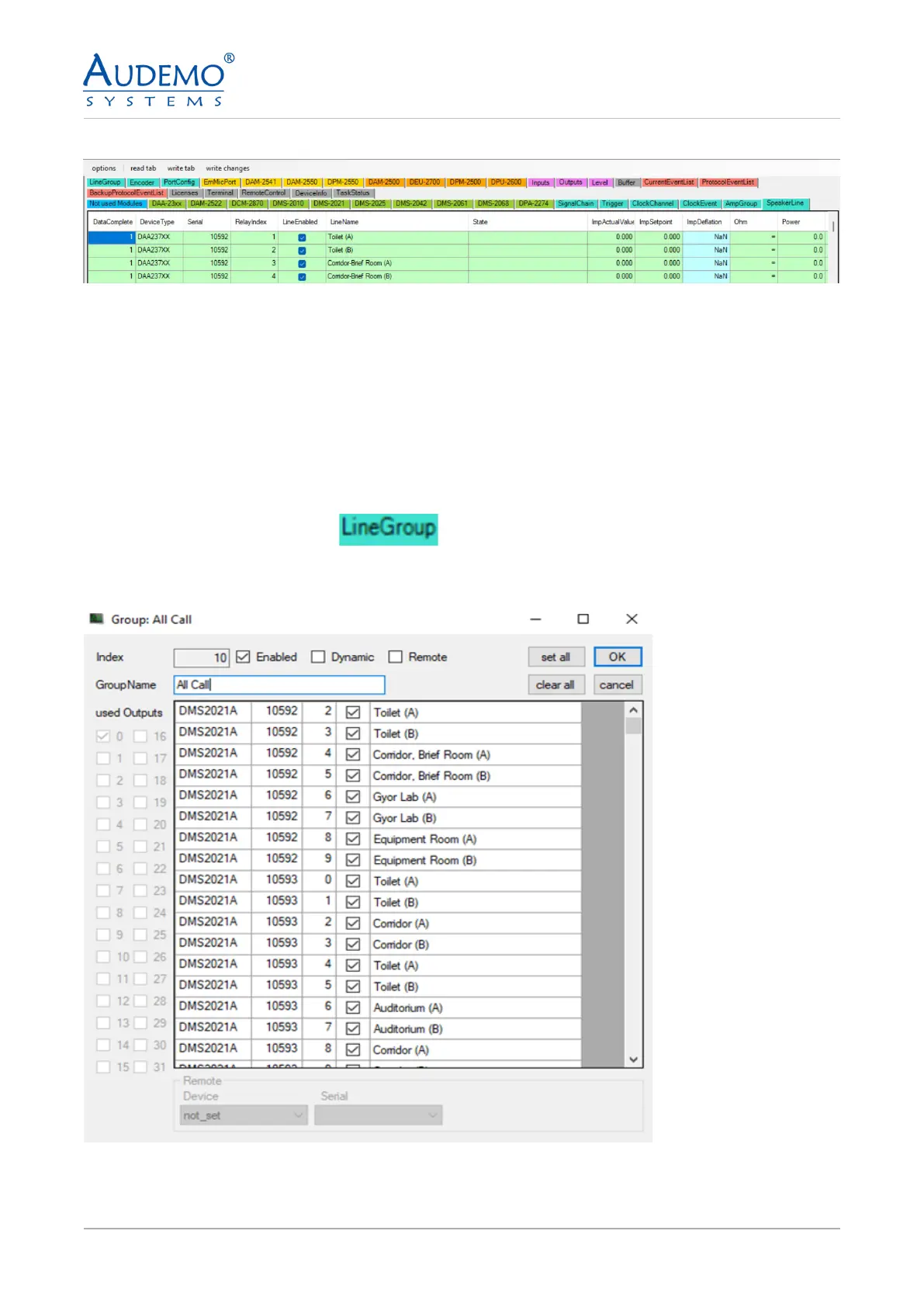
Example image: After setting up several speaker lines
Note: Repeat the process as described in point 6.6 until you have set up all your speaker lines.
7. Setting up line groups (Line Group)
7.1) DMS-2021A
Here you have the option of grouping together the individual speaker lines that you set up under point 6,
for example to play announcements or background music throughout or in parts of the building.
• Click on the TAB Line Group -
• Double click on the rst free row in the main window.
• The following window appears:
Example illustration: Here you can see the loudspeaker lines congured under point 6.1


 To Next Page