-
Audi lan e as si st
----------------
I \ Not ready: The yellow ind icator light shows that the system is
t urned on but unab le to send a warning . This can be due to the
following:
• There are no boundary lines, or there is on ly one boundary line
present .
• The boundary lines are not detected (e.g. due to snow, dirt, wet
conditions or light shining into the camera lens) .
• More than two boundary lines (such as at construction sites) are
located in the vehicle's lane .
• The vehicle's speed is below the speed needed to activate it,
which is abou t 40 mph (65 km/h).
• The lane is narrower than about 8 ft . (2.5 m), or wider than about
16
ft . (5 m).
• The curve is too sharp .
No tes on th e in str umen t clu ste r di s pla y
When the lane assist turns off automatically , the instrument cluster
indicator goes out and one of the following messages appears on
the display:
Audi lane assist not available: Currentl y no sensor vision
This message appears when the camera can no longer function
because it cannot detect the boundary lines. This may be due to the
following :
• The exterior side of the camera viewing window =>
page 151,
fig . 169 is covered with dirt or ice. Clean this part of th e windshield.
• The camera view ing window is fogged up on the inside. In t his
case, wait until the fog disappears before turning lane assist on
aga in.
• The system was unable to detect boundary lines over an
extended period of time due to road conditions (such as snow-
covered lanes). Do not turn lane assist on again unti l the lines can
be more easily detected .
Audi lane assist not available
A temporary malfunction is preventing lane assist from operating .
Try turning on lane assist again at a lat er t ime.
Audi lane assist : system fault
The system should be checked by an authorized Audi dealer or other
qual ified workshop .
[ i ] Tips
• Make sure that the camera viewing window => page 151, fig . 169
is not covered by stickers or similar objects .
• Always keep the camera view ing w indow clean . This can usual ly
be don e by op erat ing the windshield wipers. •
App lies to ve hi cles: w ith lane ass ist
MMI settings
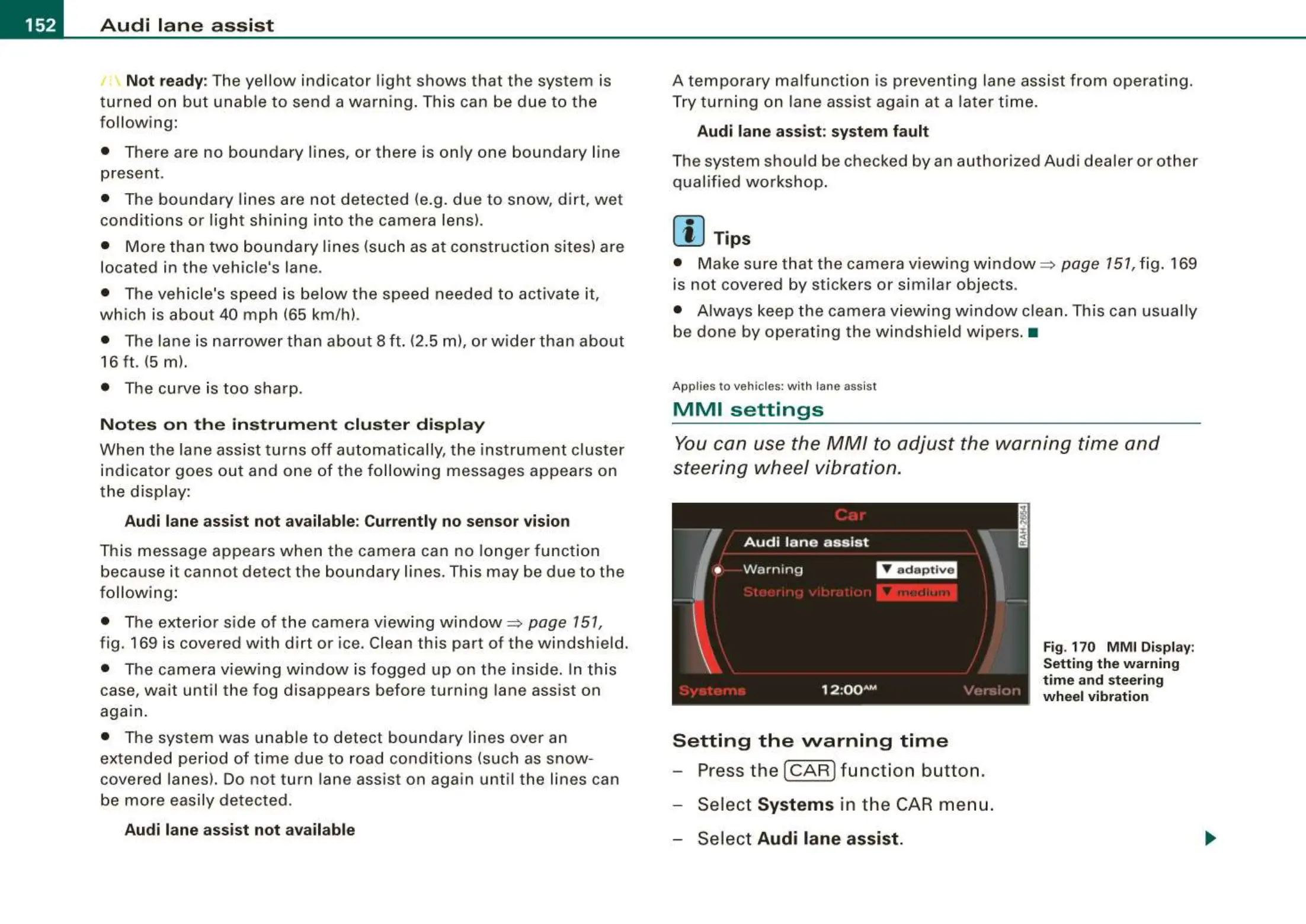
You can use the MM/ to adjust the warning time and
steering wheel vibration.
Setting the warning time
- Press the [ CAR ] function button.
- Select
Systems in the CAR men u.
- Select
Audi lane assist.
Fig. 170 M M I Display:
Settin g th e w arning
tim e and steering
w heel vibrati on



 To Next Page