In strument s a nd warning / indicator lights 25
Accessing Vehicle functions
• Se lect the firs t tab with t he rocker sw itch
@.
• Press the button ~ - The Vehicle functions
menu app ears <=>fig. 7.
• To select a menu item, tu rn and press the
th umbwheel @ .
Resetting values to zero
• Select the on-board computer / Efficiency
program
menu item in the Vehicle func-
tions
menu.
• You can now select between the long-term
memory and shor t -term memory .
• To reset the values in a memory, press and
ho ld the t humbwhee l
® for o ne second .
The last function se lected displays when you
switch the igni t ion on.
(D Tips
- All stored va lues w ill be lost if the veh i-
cle battery is disconnected.
- Fuel consumptions (average and cur -
rent), range and speed are displayed in
metric units on Canadian models .
On-board computer
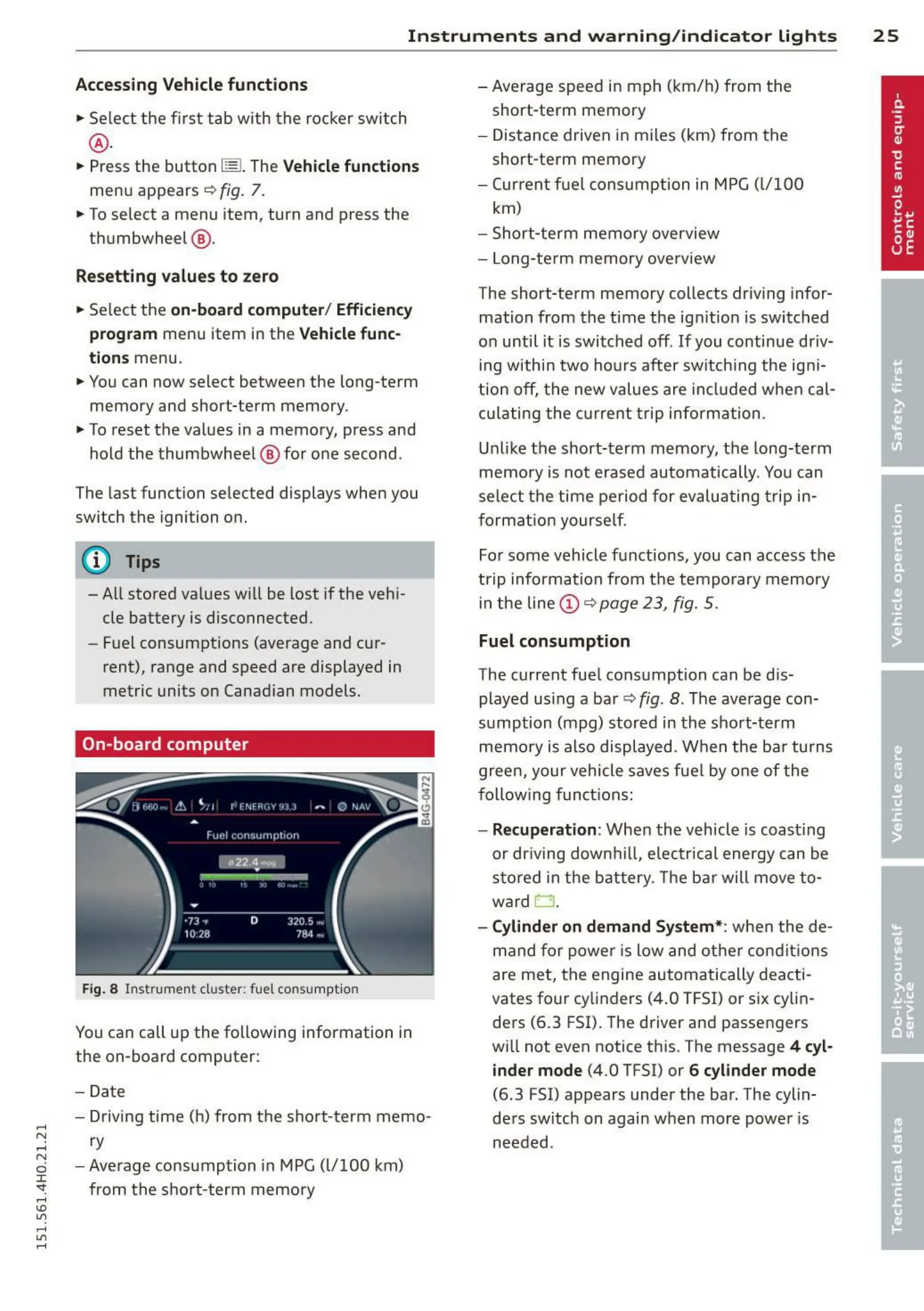
Fig. 8 I nst rument cluster : fuel consumpt ion
You can call up the following information in
the on-board computer:
- Date
- Driving time (h) from the s hort- t erm memo-
ry
- Averag e consumption in MPG (l/100 km)
from t he sho rt -term memo ry
- Average speed in m ph (km/h) from the
short-term memory
- Dist an ce d riven in miles (km) from the
short-term memory
- Current f ue l con su mp t ion in MPG (l/100
km)
- Short-te rm memory overview
- Long-te rm memory ove rview
The short-term memory collects driv ing infor-
mation from the time the ign it io n is switched
on until it is swi t ched off. If you continue driv-
ing withi n two ho urs after sw itch ing the igni-
ti on off, t he new values are included when cal-
culat ing the cur re nt t rip info rmation .
Unlike the s hort-term memory, t he long-term
memo ry is not erased automatically . You can
sele ct th e time pe riod fo r evalua t ing t rip in-
format io n yourse lf.
For some vehicle f unctions, you can access t he
t rip informa t ion from t he tempo rary memory
in t he line (D r=> page 23, fig . 5 .
Fuel consumption
The current fue l cons umption can be d is-
played using a ba r <=> fig.
8 . The ave rage con-
s umption (mpg) stored in the sho rt-term
memo ry is also displ ayed. Whe n t he ba r tu rns
green, your vehicle saves fue l by one of the
follow ing func tions:
- Recuperation: Whe n the vehicle is coast ing
or dr iving dow nhill , e lect rica l energy can be
st o red in the bat t ery. The bar will move to-
ward
0 .
- Cylinder on demand System* : whe n the de -
mand for power is low a nd ot he r condit ions
are met, th e engi ne au t omatically deacti-
vates fo ur cylinders (4 .0 TFSI) or six cylin-
ders
(6 .3 FSI). The driver and passengers
will not even notice th is. The message
4 cyl-
inder mode
(4 .0 TFSI) or 6 cylinder mode
(6.3 FSI) appears under the bar. The cylin-
ders switch on again when mor e powe r is
needed .



 To Next Page