Heating and cooling110
Applies to vehicles: with auxiliary heating - under development at the time of printing
Setting the timers
The timers need to be activated before they will switch on
the auxiliary heating/ventilation.
Setting the timers
– Press the button.
– Press the control button for AC.
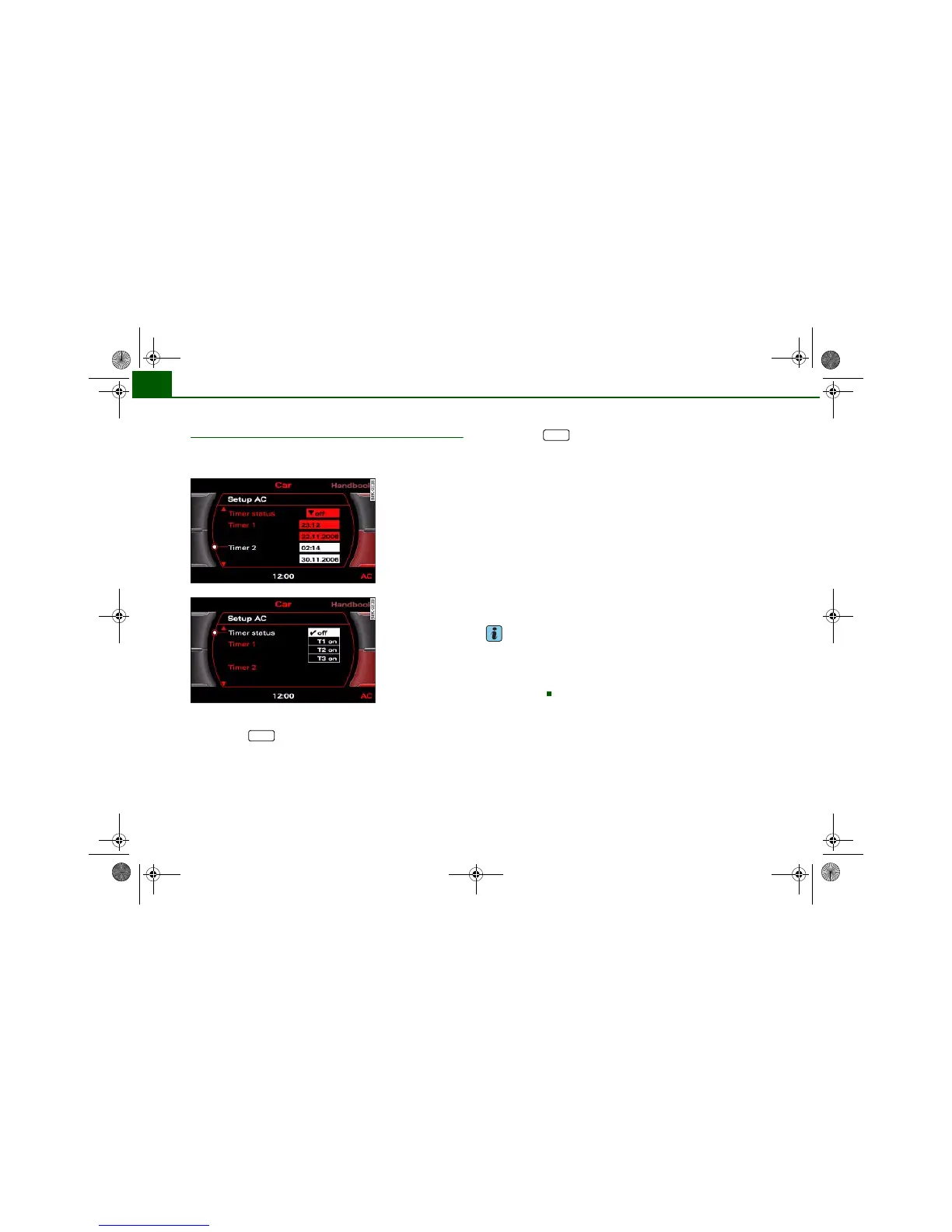
– Select the timer you wish to set, and enter the required
time and date ⇒ fig. 124.
– Then press the rotary control to confirm the time and
date settings.
Activating a timer
– Press the button.
– Press the control button for AC.
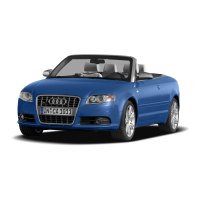
– Select the Timer status and then select the timer you
want to start first.
Three timers are available. This allows you to pre-set different
starting times and running times for the auxiliary heating/ ventila-
tion.
When the time set on one of the timers elapses, the date automati-
cally changes to the next day and the timer status is reset to off.
Each timer first has to be activated before it will switch on the auxil-
iary heating/ventilation at the time you have set.
The timers are not activated automatically. This prevents the auxil-
iary heating/ventilation from switching on repeatedly when the
vehicle is not being used.
Note
Before activating the timer, make sure that the correct time and date
settings have been entered. If the time and/or date are not correct,
the auxiliary heating will come on late or not at all. Please refer to
the MMI Operating Instructions for information on how to set the
date and time.
Fig. 124 MMI display:
Timer
Fig. 125 MMI display:
Timer status
CAR
CAR
document_0900452a81793dcc.book Seite 110 Mittwoch, 21. März 2007 5:42 17


 To Next Page