Heating and cooling 111
Controls Safety Driving tips General maintenance Self-help Technical data
Applies to vehicles: with auxiliary heating - under development at the time of printing
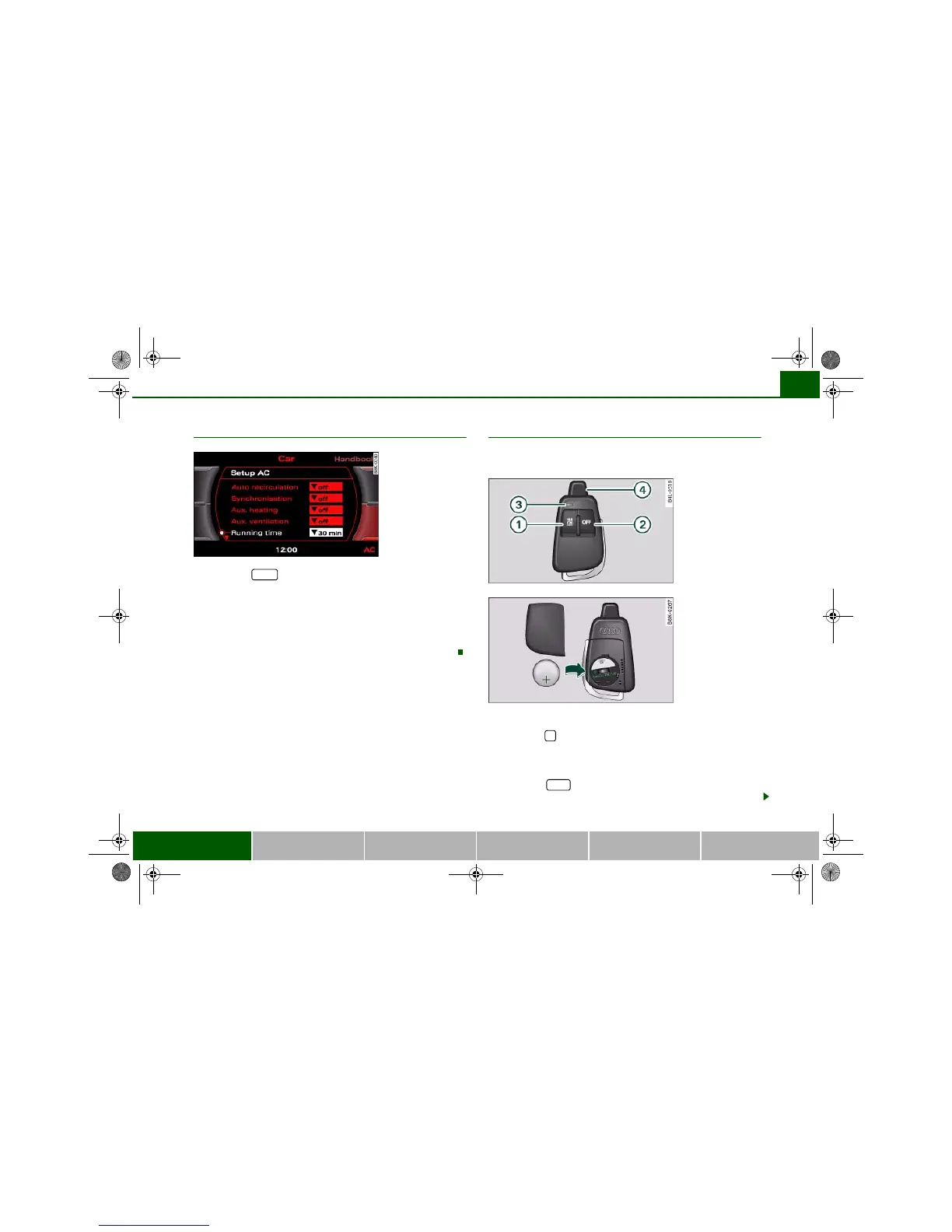
Setting the running time
– Press the button.
– Press the control button for AC.
– Select Running time and then choose the time.
The running time for the auxiliary heating/ventilation can be set to
a time between 15 and 60 minutes. The auxiliary heating/ventilation
will switch itself off at the end of the programmed running time.
Applies to vehicles: with auxiliary heating - under development at the time of printing
Remote control
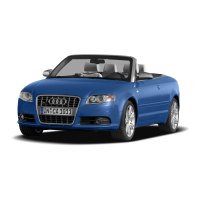
The auxiliary heating and auxiliary ventilation can also be
switched on or off with the remote control.
Switching on
– Press the button for about 2 seconds to activate the
auxiliary heating/ventilation ⇒ fig. 127.
Switching off
– Press the button for about 2 seconds to switch
off the auxiliary heating/ventilation.
Fig. 126 MMI display:
Running time
CAR
Fig. 127 Remote
control for auxiliary
heating
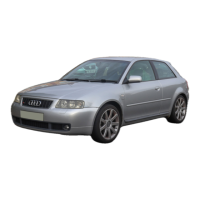
Fig. 128 Remote
control: Changing
battery


 To Next Page