29 30
SOFTWARE SOFTWARE
Advanced Features
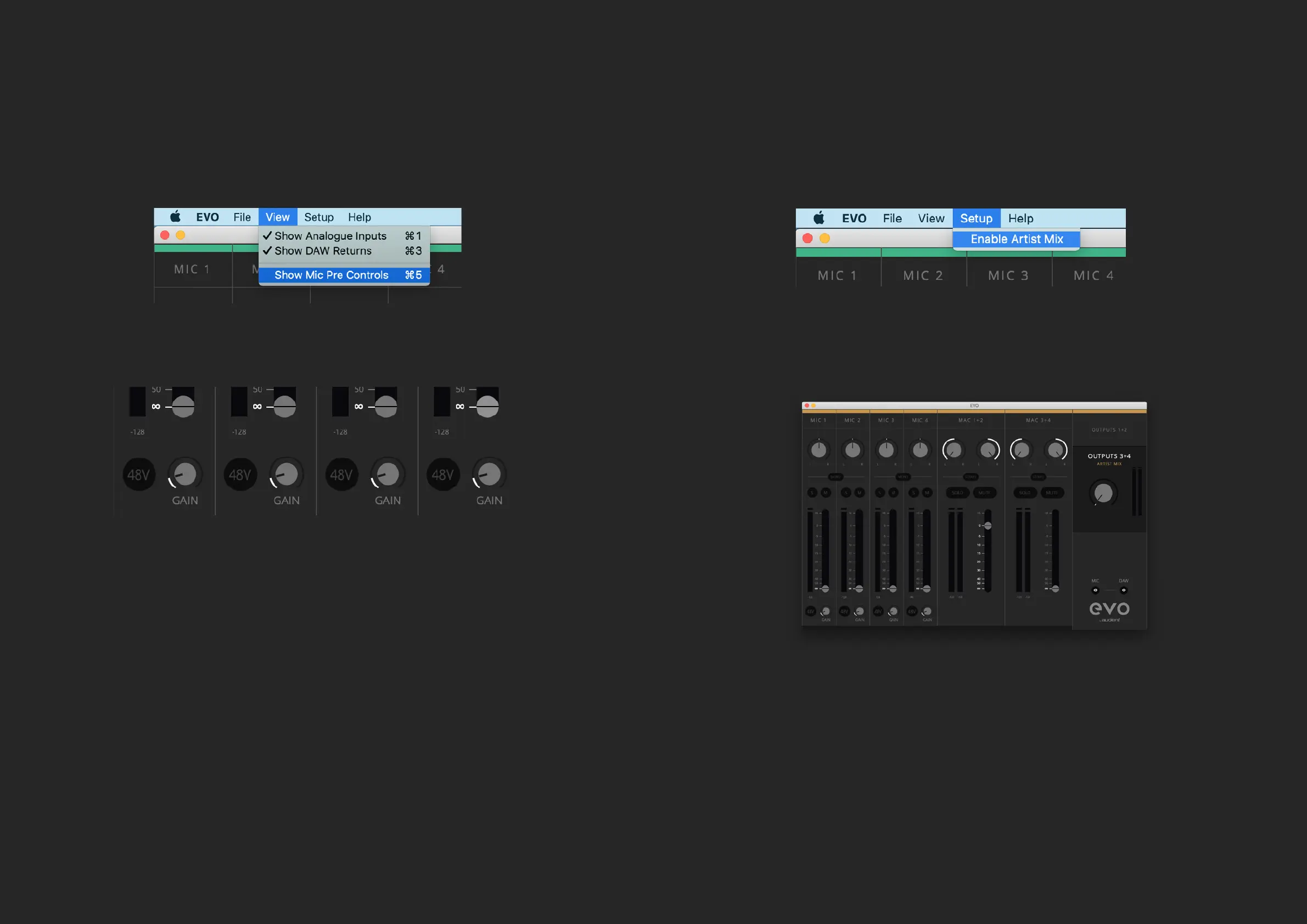
Mic Pre Controls - The Mic pre’s on EVO 8 can be remotely controlled from the
EVO Mixer software. To enable this go to the “View” menu and select “Show Mic
Pre Controls”.
Once this is enabled, on the bottom of each channel, you’ll see a gain control
and a +48V button.
The +48V button will enable phantom power on this channel and the Gain
control will adjust the gain level on the EVO 8 itself. Allowing you to make quick
changes to your setup without having to look away from the computer during
a busy session.
Artist Mix - EVO 8 allows you to have a dierent mix being sent to Outputs 3+4
(Headphone 2), using a feature called Artist Mix.
This can be enabled by going to the Setup Menu and selecting “Enable Artist
Mix”.
You can then adjust the audio being sent to Outputs 3+4 by clicking on the
Output 3+4 in the master section of the mixer. This will then open the second
mixer indicated by a yellow band across the top of the screen.
Examples of when you may wish to use this would include, having an engineer
using the main speakers (Outputs 1 + 2) and having an artist using headphones
(Outputs 3+4) with both listening to separate mixes. The engineer would use the
Outputs 1+2 to listen to the overall mix for example while the output 3+4 mix can
be used to send a click track or direct monitoring from the microphones just to
the artist.


 To Next Page