11 12
INSTALLATION / SETUP
On macOS, EVO 8 will work straight away without needing to install any
drivers. However, we do recommend installing the EVO
application which gives you control over routing, Audio Loop-back and
lets you update your rmware.
Head to the EVO 8 downloads page to download the latest version of
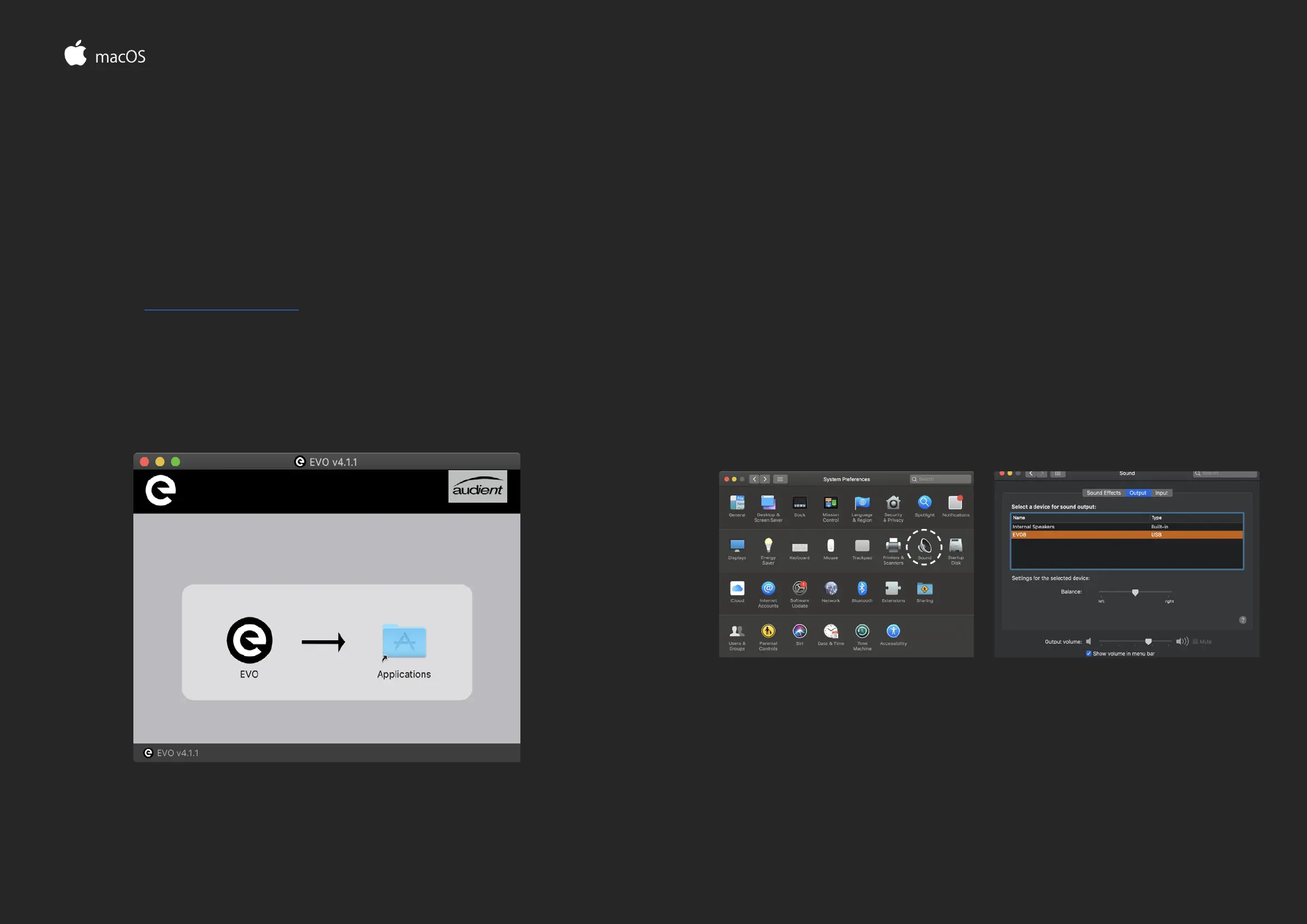
the application. Once downloaded, simply open the .dmg le and then
drag and drop the EVO application into your applications folder.
INSTALLATION / SETUP MAC OS
Carefully unpack your EVO 8 and connect it to a USB port on your Mac.
If your computer doesn’t have rectangular USB-A ports then you may
need to use an adaptor, dongle or third party cable.
You can then set EVO 8 as your main outputs by going to System
Preferences > Sound and then selecting the EVO 8 as your device for
Input and Output
System Preferences > Sound Select EVO 8 as input / output


 To Next Page