13 14
INSTALLATION / SETUP
EVO 8 will require drivers on Windows so that the computer and EVO 8
will work together. You can download these from the downloads page
on the EVO 8 page.
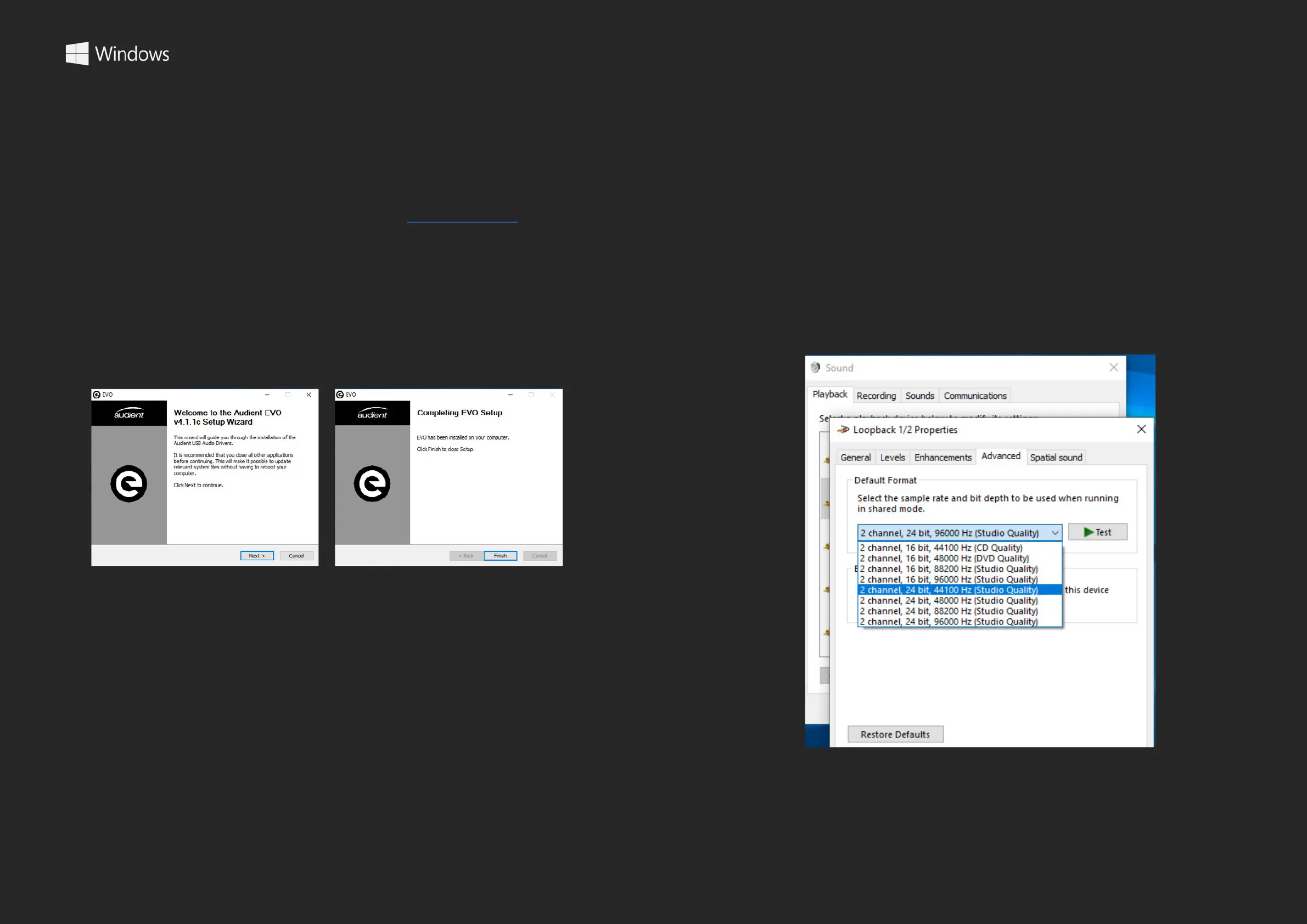
Once downloaded, run the .exe le to start the installation process.
Follow the instructions on screen to complete the installer. This process
may take a little while so please be patient.
INSTALLATION / SETUP WINDOWS
Once complete, click nish. Now carefully unpack your EVO 8 and
connect it to the computer using the included USB cable.
To set the EVO 8 as your default sound device, go to Control Panel >
Hardware and Sound > Sound. Now select the Playback tab.
In the list of devices, nd EVO 8 Main Output 1+2, click on it and select
Set Default Device.
For more advanced settings such as changing your sample rate or
buer size, please read the Software features section, found later in
this manual.
Control Panel > Hardware and Sound > Sound


 To Next Page