EasyManua.ls Logo

Audio Technica AT-LP60-BT - User Manual

Audio Technica AT-LP60-BT
28 pages
Print Icon
To Next Page IconTo Next Page
Loading...
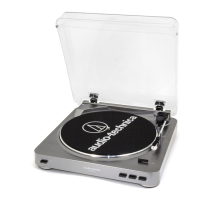
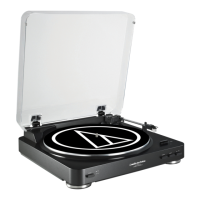
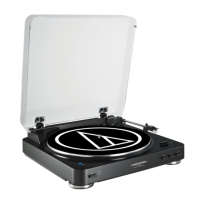
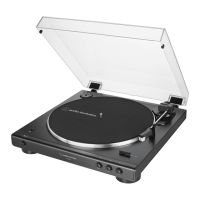
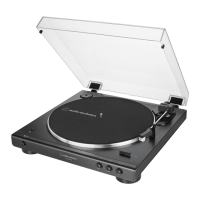
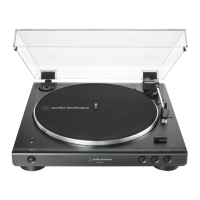
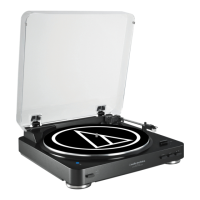
AT-LP60-BT Wireless Turntable
ATロゴマークセンター位置基準
45mm
未満は
®
削除
●
●
45mm
AT ロゴとレジストレーションマーク
®
使用基準
コーポレートカラー(テクニカブルー)とATロゴの色指定について
社旗、屋外看板、社用車、パッケージ、広告宣伝媒体、販促物等に使う場合は原則として下記の基準色(=テクニカブルー)を使用すること。
近似色として下記(PANTONE2935C、DIC183など)を規定する。またそれ以外の色として黒、白、グレー、金、銀、などは使用できるものとする。
製品本体に使用する場合はその都度精査し決定する。
以下運用例として承認:2008年よりATUS作成のカタログ、パッケージのイメージ統一のためPANTONE8201Cを採用する。
株式会社オーディオテクニカ(2009.4)
基準色
↑イラストレーターカラーモードをCMYKで作製しています。
開いたデータ上でR63+G100+B200に合わせてくだい。
近似色
R(光赤)63+G(緑)100+B(青)200
DIC183 プロセスカラー使用の場合
C(シアン)100+M(マゼンタ)50%
PANTONE2935C
Installation and Operation Pages 2-9
AT-LP60-BT
Tourne-disque sans fil
Installation et utilisation Pages 10-17
AT-LP60-BT
Tocadiscos inalámbrico
Instalación y funcionamiento Páginas 18-25
IMPORTANT:
Turntable belt needs to be attached or turntable will not
operate. See page 5 for instructions.
For assistance, contact our Audio Solutions Department
at 330-686-2600 x5000 or audio-solutions@atus.com.

Other manuals for Audio Technica AT-LP60-BT

Question and Answer IconNeed help?

Do you have a question about the Audio Technica AT-LP60-BT and is the answer not in the manual?

Summary

Product Introduction

Important Safety and Operational Information

Key Safety Instructions

A list of essential safety precautions for operating the turntable.

Regulatory Compliance (FCC)

Product Features Overview

Initial Setup and Configuration

Turntable Assembly Guide

Step-by-step guide for assembling the turntable components before first use.

Pre-amplifier Selector Switch Setup

Instructions on selecting the correct pre-amplifier setting for audio output.

Stereo System Connectivity

Bluetooth Wireless Setup

Guide for pairing the turntable with Bluetooth receiver devices for wireless audio.

Analog Wired Connection

Instructions for connecting the turntable to a stereo system using audio cables.

Turntable Operation Modes

Automatic Playback Operation

Details on how to operate the turntable using automatic start, stop, and pause functions.

Manual Playback Operation

Instructions on manually lifting and lowering the tone arm for playback.

Stylus Replacement Procedure

Troubleshooting Common Issues

Troubleshooting: Turntable Not Operating

Steps to diagnose and resolve issues where the turntable does not power on or function.

Troubleshooting: Audio Output Issues

Troubleshooting steps for no audio output or low volume during turntable operation.

Troubleshooting: Distorted Sound

Steps to address distorted audio playback from the turntable.

Technical Specifications

Product Warranty Information

Audio Technica AT-LP60-BT Specifications

General IconGeneral
BrandAudio Technica
ModelAT-LP60-BT
CategoryTurntable
LanguageEnglish

Videos

How to Pair the AT-LP60-BT Wireless Turntable to a Bluetooth

Related product manuals