48
2
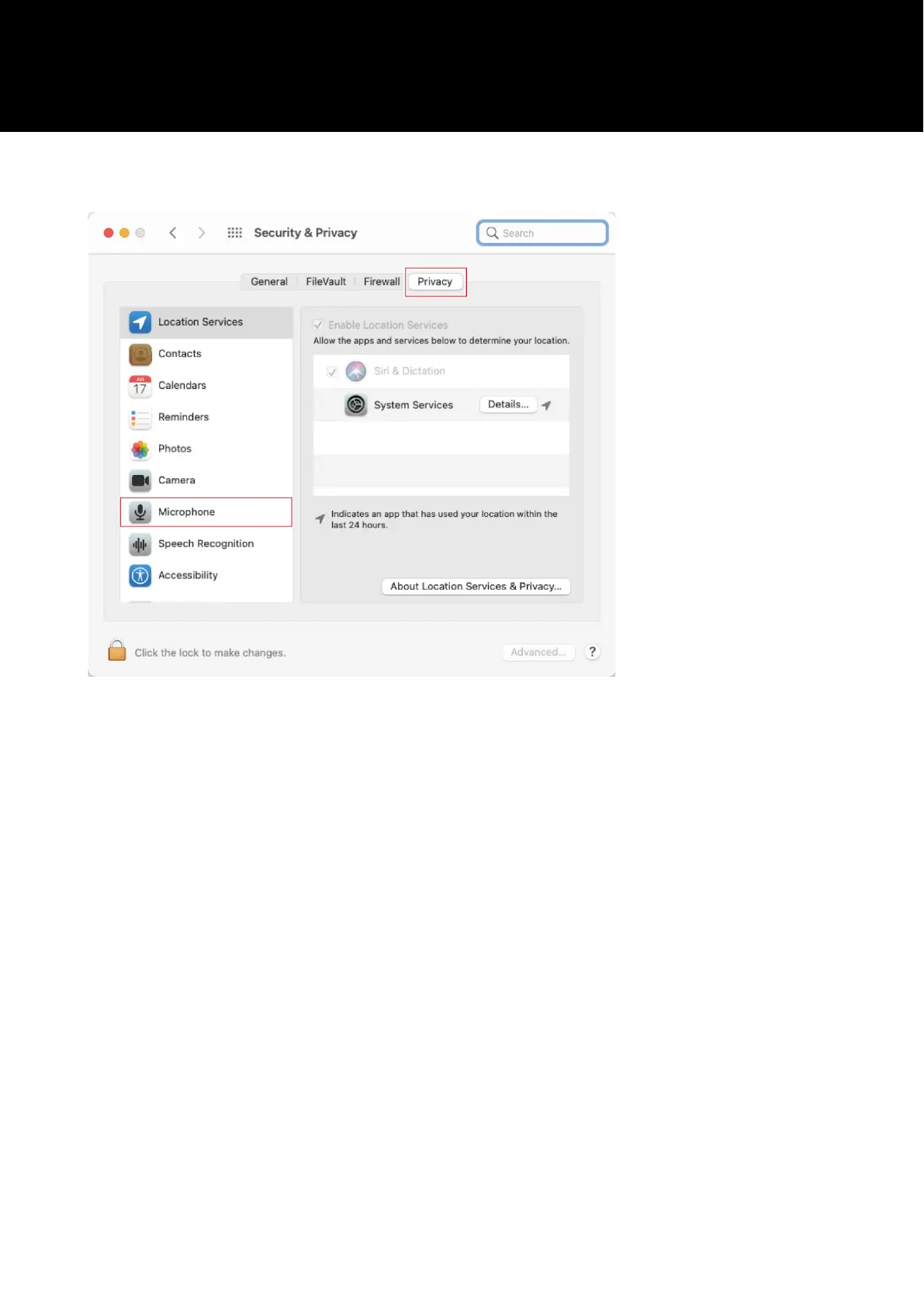
In the "Privacy" tab, select "Microphone".
3
Check that the recording software you are using is enabled.
• If it is not enabled, select the check box next to this software.
• To change the "Security & Privacy" settings, you have to unlock them with the icon in the lower-left corner of
the screen. Clicking this icon displays a screen for unlocking the settings. Enter the user name and password,
and then click "Unlock". After changing the settings, lock them.


 To Next Page
 Loading...