Page | 6
To sign in with the Device Manager:
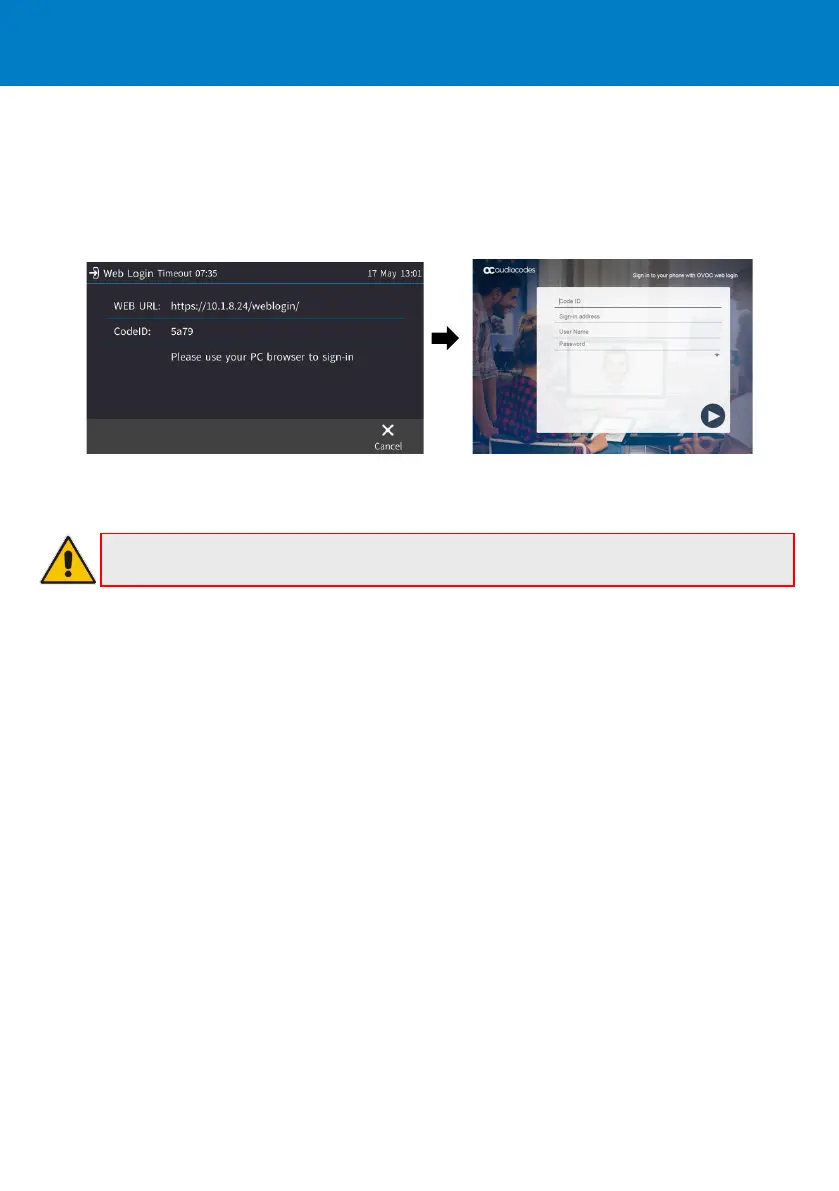
If the IP phone is managed by the Device Manager, web login is performed using a dedicated web
login screen.
1. Using your web browser, navigate to the URL shown in the Web Login screen (below).
2. Enter the 'Code ID', ‘Sign-in address’ (SIP address) and ‘User Name’, and then enter the 'Password'.
To sign out: Touch the STATUS menu when the phone is idle, and then touch SIGN OUT.
Note: Some Skype for Business/Teams Compatible features are supported only when
signing in with username and password (e.g., Calendar).











 To Next Page