P a g e | 4
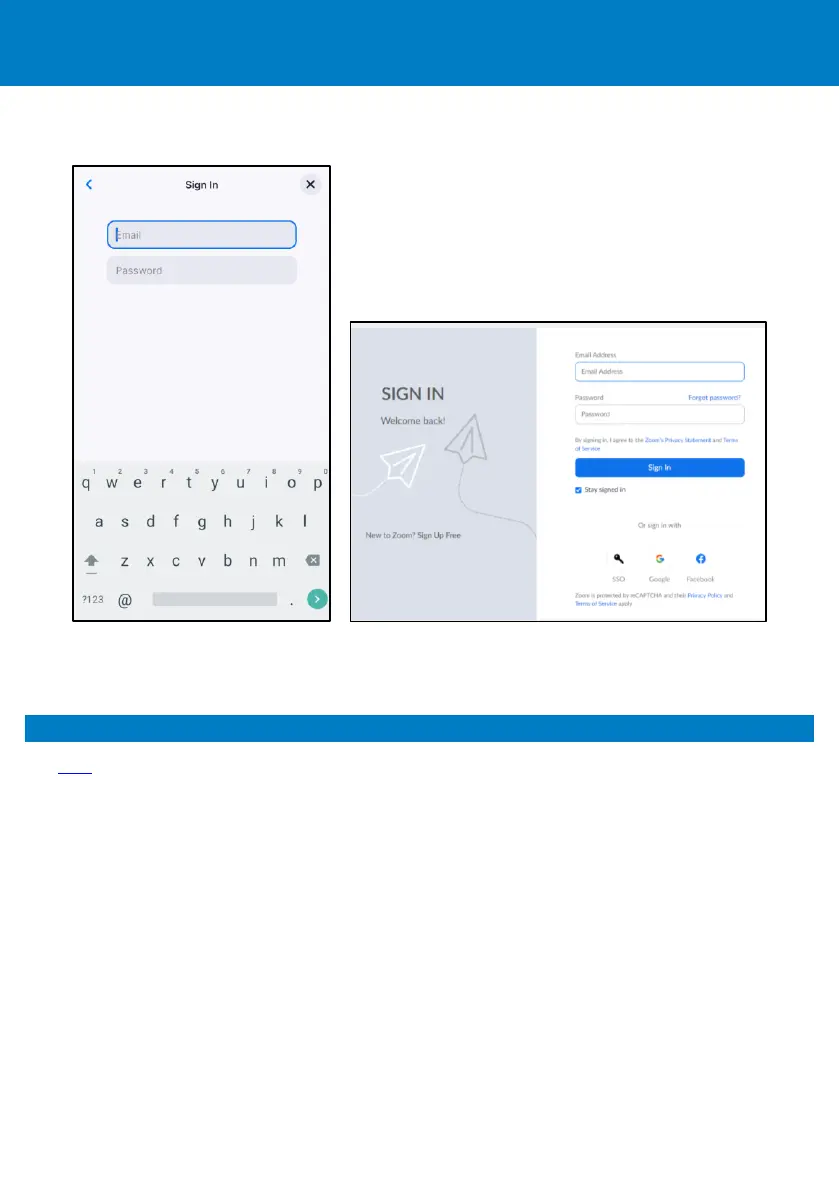
• To sign in via email, click Email and then in the ‘Sign In’ screen displayed, enter your email (e.g.,
john.brown@company.com) and your password provided to you by your IT manager.
To sign out: In the phone’s home screen, touch your picture, touch Settings and then Sign Out.
5. Zoom Phone Appliances
See here for details about Zoom Phone Appliances, including Getting started with Zoom Device
Management (ZDM).









 To Next Page