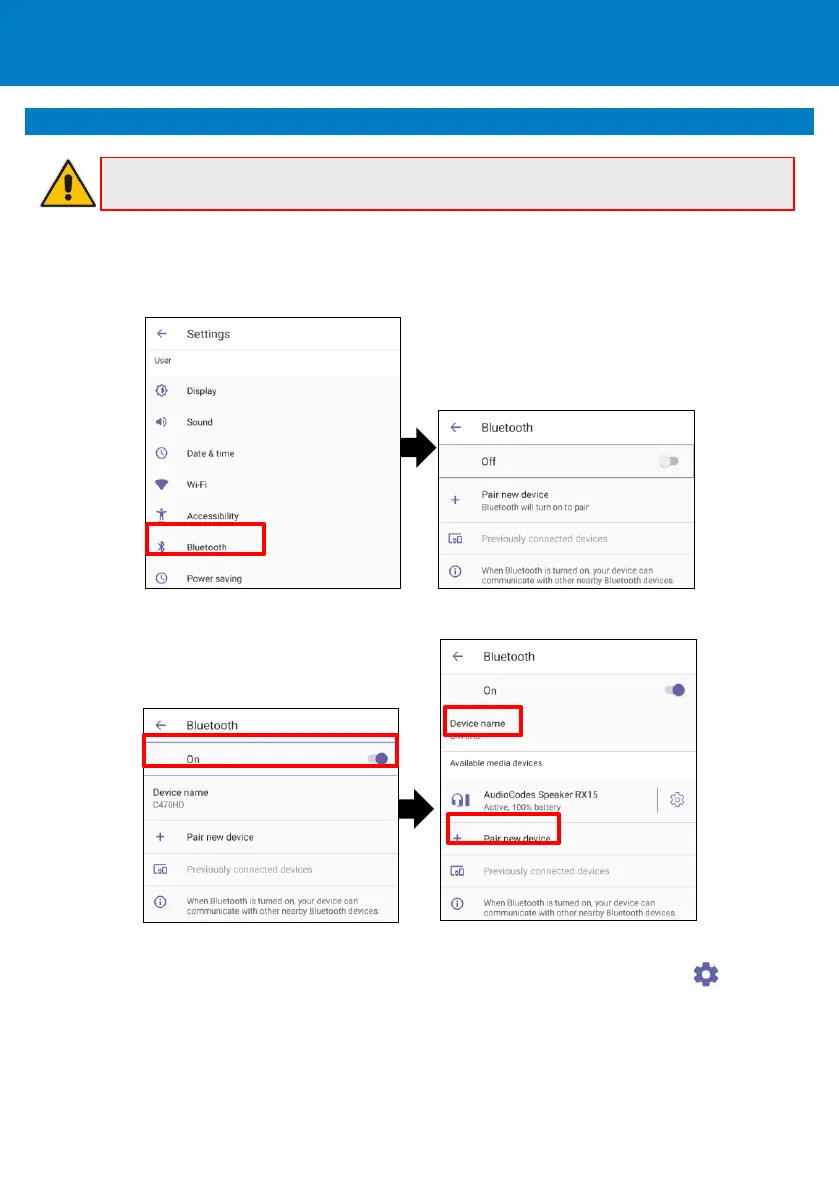
To configure Bluetooth:
1. Open the Bluetooth screen (in the phone’s home screen touch your picture > Settings > Device
Settings > Bluetooth).
2. Touch Off (by default the feature is switched off).
3. Touch + Pair new device and under ‘Available media devices’, touch the device to pair with.
4. To unpair a device, open the Bluetooth screen (Settings > Bluetooth) and touch adjacent to
the device.
5. In the ‘Device details’ screen, touch FORGET.
6. Touch FORGET DEVICE; the C470HD is no longer paired with the Bluetooth device.









 To Next Page