EasyManua.ls Logo

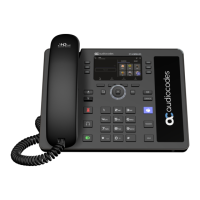
AudioCodes C448HD - User Manual

AudioCodes C448HD
130 pages
Print Icon
To Next Page IconTo Next Page
Loading...
User's and Administrator's Manual
AudioCodes 400HD IP Phone Series
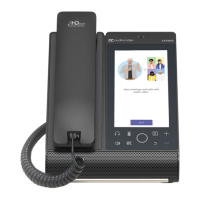
C448HD | C450HD IP
Phones
Microsoft Teams Application
Version 1.17

Table of Contents

Other manuals for AudioCodes C448HD

Questions and Answers

  • K
    Kimberly MartinAug 9, 2025
    What to do if my AudioCodes C448HD is off?
    • G
      Glen JohnsonAug 9, 2025
      If your AudioCodes IP Phone isn't turning on, start by ensuring the AC/DC power adapter is firmly connected to the DC input on the phone's rear and plugged into a functional electrical outlet. If you're using Power over Ethernet (PoE), contact your network administrator to verify the switch is providing power to the phone.
  • C
    Courtney PonceAug 25, 2025
    Why does my AudioCodes IP Phone headset have no audio?
    • S
      Stephanie DorseyAug 25, 2025
      If you're not getting any sound through your AudioCodes IP Phone headset, first ensure it's securely plugged into the headset port on the phone's side. Also, check that the headset volume is set to an audible level.

AudioCodes C448HD Specifications

General IconGeneral
Audio QualityHD voice
Protocols SupportedSIP
Opus CodecYes
Weight1.2 kg
ConnectivityEthernet
Power over EthernetYes
Headset SupportYes
Ethernet Ports2
USB Ports1
Supported CodecsG.711, G.722, G.729, Opus

Related product manuals