CHAPTER7 Troubleshooting
C448HD C450HD | Users & Administrator's Manual
● AudioCodes Device Manager's ‘Collect Logs’ action also includes all information
collected by Microsoft Teams admin center (TAC). The .zip file includes the
following files:
✔ Android BugReport
✔ AdminAgentLogs.zip - includes logcat collected by the OVOC/Device
Manager.
✔ blog files (media logs)
✔ Skylib-XXX.blog
✔ app_process32.XXX.blog
✔ config.cfg & status.cfg - Device configuration and status
✔ ac_config.xml and ac_status.xml - Device configuration and status for
internal use.
✔ dmesg - Diagnostic messages command useful for debugging hardware-
related issues.
✔ SessionID_For_Company_Portal_Logs.txt (this is the CP SSDI, not the logs;
the logs are sent to the OVOC / Device Manager server).
● See also the Device Manager Administrator's Manual.
Getting Audio Debug Recording Logs
NetworkadministratorscanopttogetAudioDebugRecordinglogsfromthephonescreen.The
purposeoftheselogsisforissuesrelatedtomedia.
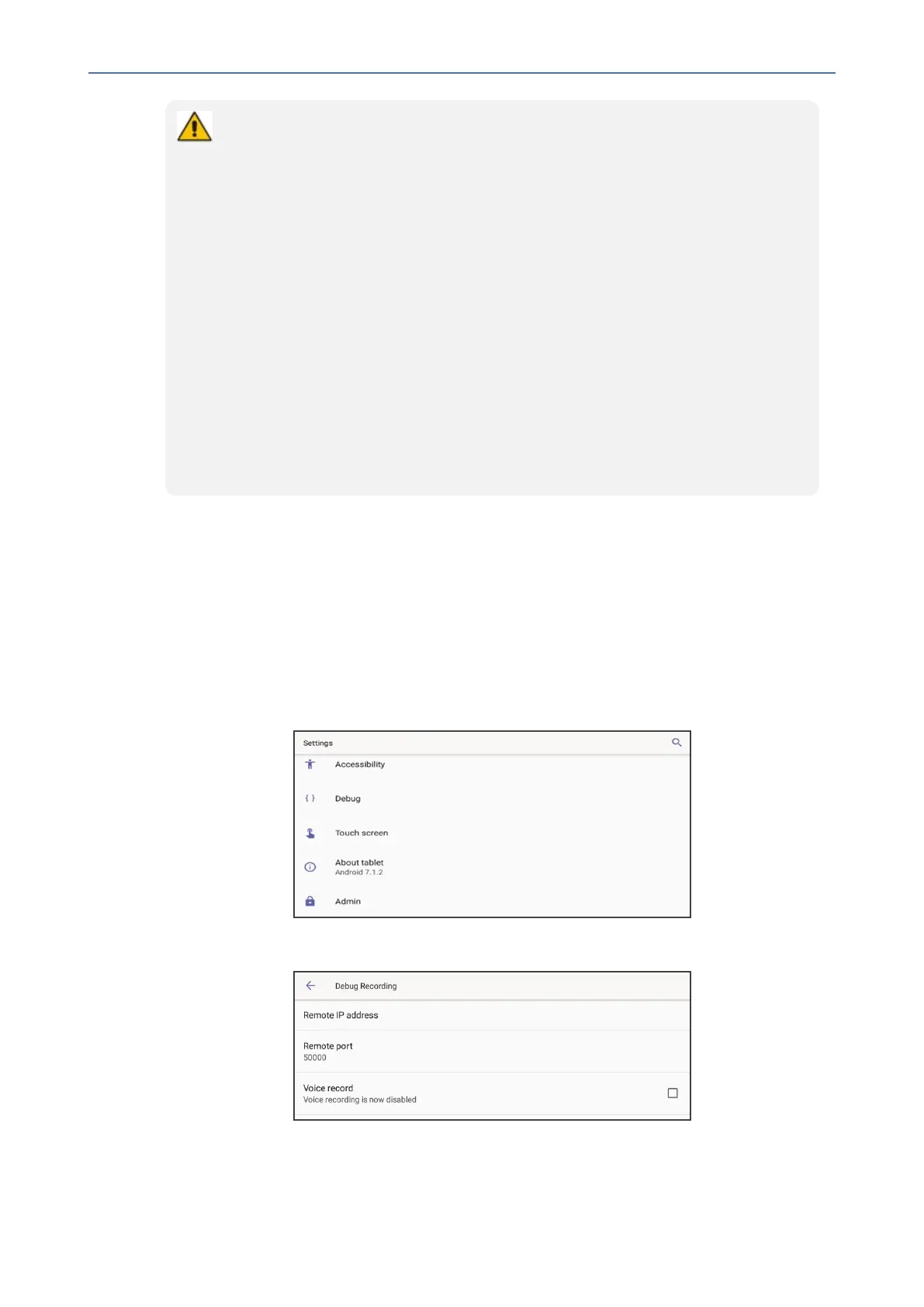
➢ To enable Audio Debug Recording logs:
1. LoginasAdministrator.
2. OpentheSettingsscreenandscrolldowntoDebug.
3. SelectDebugandthenscrolldowntoDebug Recording.
4. ConfiguretheremoteIPaddressandport.
- 119 -









 To Next Page