20
1
2
3
4
5
6
--
SC MODE
AM FM
m
+
CDC 1 Song * Artist *Album
RND TP
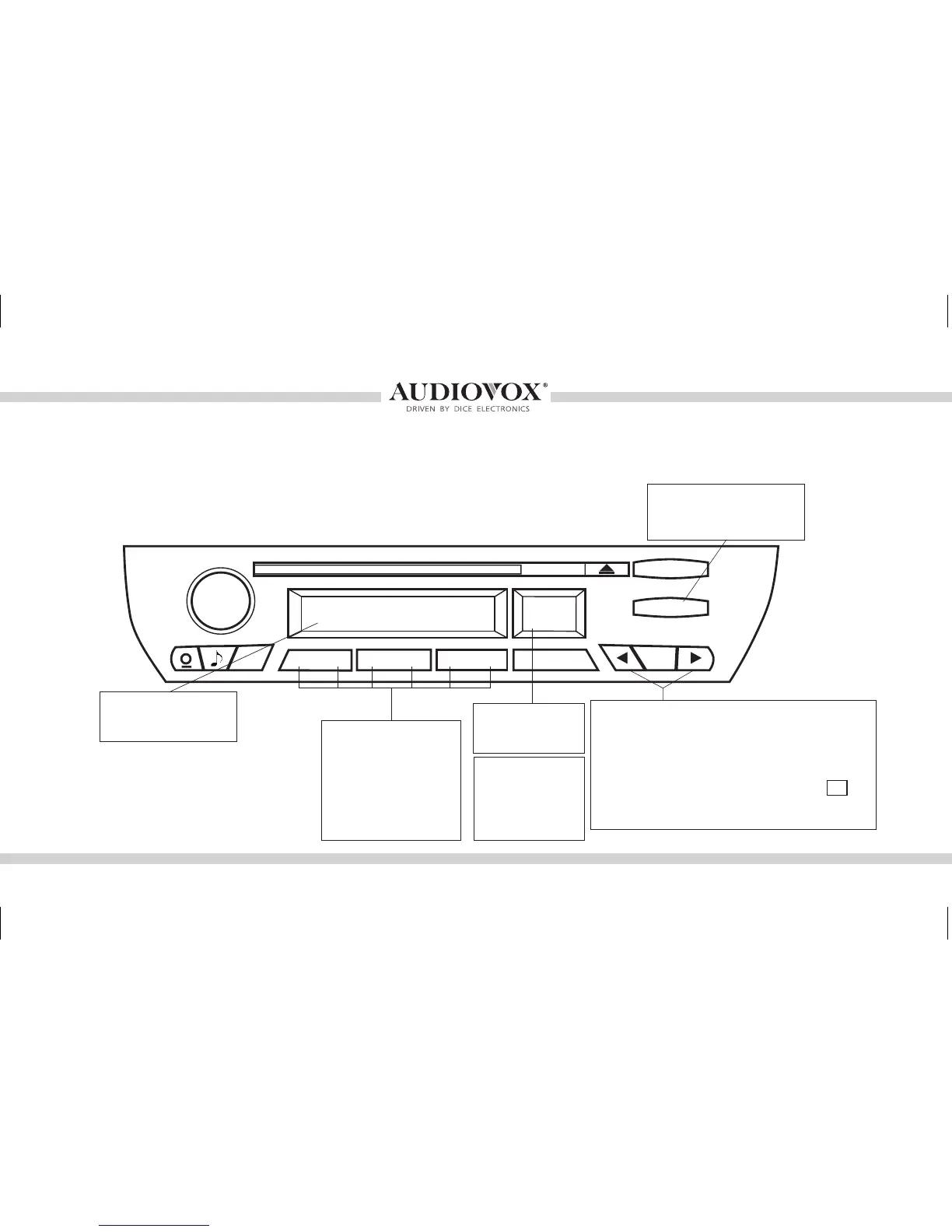
Press the MODE button
to access MediaBridge
as the audio source
Selected source
indicator: AM/FM/CD/
CDC
Use RANDOM to
turn shufe songs
ON/OFF
Press the TRACK buttons to go to the next/
previous song, playlist, artist or album (de-
pending on which DISC number is selected).
Press and hold the TRACK buttons to RW or
FFW. On some older BMW radios the m
button must be engaged to perform the same
action.
Illustration showing BMW Business CD Radio
Operating the MediaBridge from select BMW and Mini radios
Use DISC buttons 1-6
to change between
DISC modes and
to recall and store
SIRIUS stations
(MediaBridge SIRIUS
source mode)
NOTE: 99-01 3-Series and Z3 will
require double clicking buttons when
text is displayed.
Press RND
followed by DISC
1-6 to store a
preset while in
Sirius mode
OMA-MBR-1500-BMW-012012_rev012012.indd 20 1/23/2012 9:32:33 PM



 To Next Page