activation
19
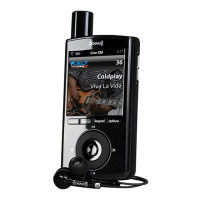
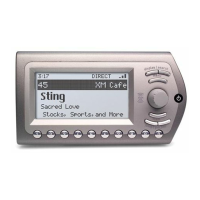
Before you can listen to XM content, you must activate your Xpress
EZ
.
1. Set up your Xpress
EZ
, car cradle, power adapter, and antenna (pages 10 -17). Make
sure Xpress
EZ
can receive the XM signal.
2. Find the 8-character XM Radio ID, which is printed on the package or on the back of
your Xpress
EZ
. Or select XM channel 0 to view the Radio ID. Record the Radio ID here
for reference:
The XM Radio ID does not use the letters I, O, S, or F.
3. Activate your XM Satellite Radio service online at https://activate.xmradio.ca or by
calling 1 877 GET XMSR (1-877-438-9677). You will need a major credit card. The
website will walk you through activation, selecting a service plan, and creating an
XM account.
XM will send a signal from the satellites to activate the full channel lineup. Activation
normally takes 10 to 15 minutes, but during peak busy periods you may need to keep
your Xpress
EZ
on for up to an hour. When you can access the full channel lineup on
your Xpress
EZ
, you’re finished!
XpressEZ user guide0407.qxp:Layout 1 5/9/07 12:33 PM Page 19


 To Next Page
 Loading...