Brightness
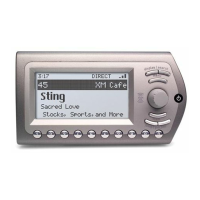
To change the display’s brightness:
1. Press menu Brightness.
2. Rotate the knob to adjust the display’s brightness.
3. Press XM to confirm your selection.
4. Press the menu button to back out.
Contrast
To change the display’s contrast:
1. Press menu Contrast.
2. Rotate the knob to adjust the display’s contrast.
3. Press XM to confirm your selection.
4. Press the menu button to back out.
Backlight Timer
The Backlight Timer feature allows you to set the amount of time the display backlight
remains on. To adjust your backlight timer:
1. Press menu Backlight Timer.
2. Rotate the knob to adjust the Backlight Timer setting.
3. Press XM to confirm your selection.
4. Press the menu button to back out.
25
using your Xpress
EZ
XpressEZ user guide0407.qxp:Layout 1 5/9/07 12:33 PM Page 25


 To Next Page
 Loading...