21005 V3
6 Microphone Operation
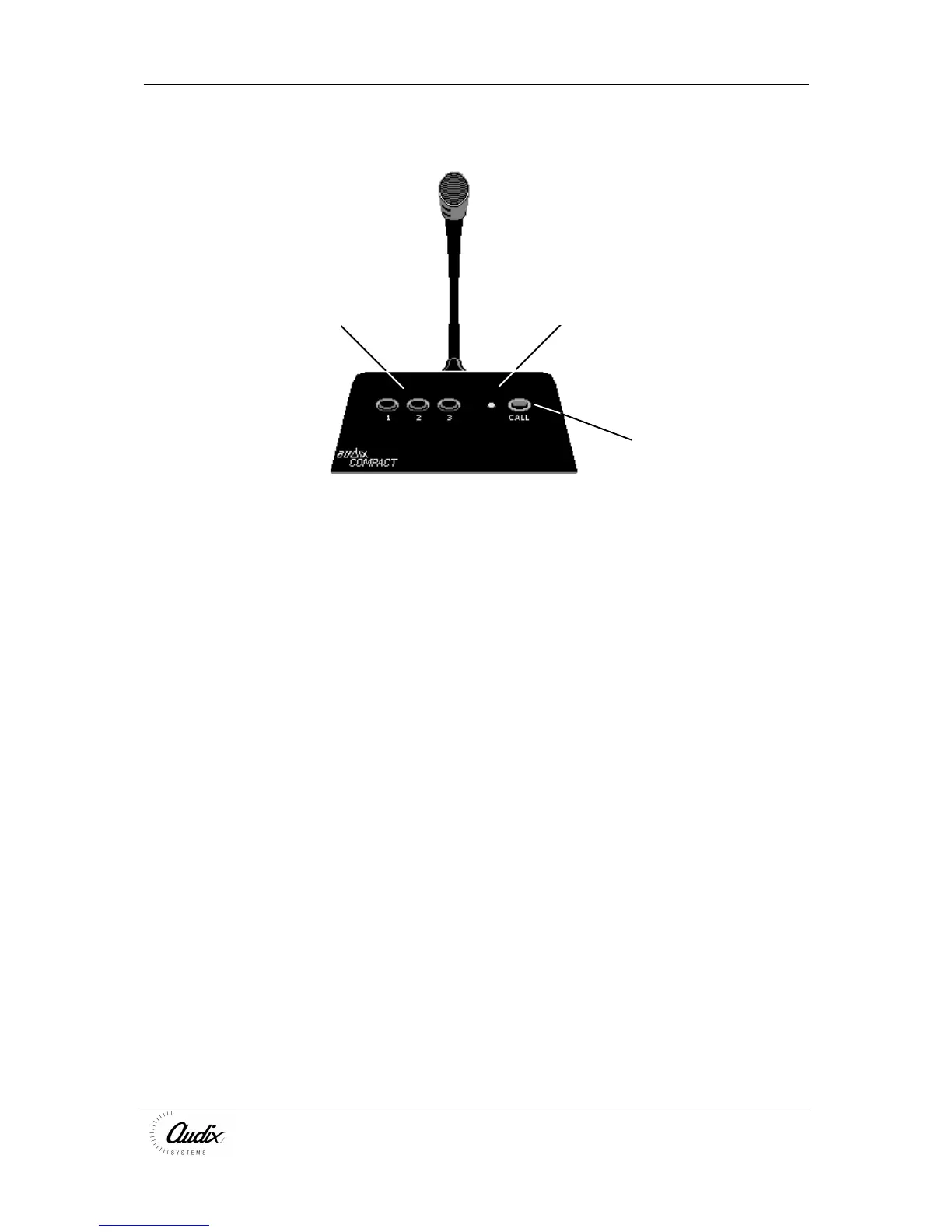
Zone Selection Indicator
Call
The COMPACT microphone uses an LED indicator to show the current status of the
system
Slow Blink System available
Fast Blink System busy/chiming/microphone over-ridden
Continuous Speak
6.1 Operation
Select the zones by pressing the latching 1, 2, 3 buttons. Note that the zones are
only activated when the CALL button is pressed.
Press CALL
The Indicator will blink fast to show that the chime is being broadcast
When the indicator is on continuously, speak clearly into the microphone
Releasing the CALL button returns the COMPACT to its’ standby state.
Re-press the Zone selection buttons to de-select the zone
If, during a broadcast, a higher priority microphone is used, the lower priority unit is
cut off and the indicator blinks fast.
The lower priority microphone will continue to broadcast to any zones NOT selected
by the higher priority unit. However, the lower priority user will not know which zones
are being over-ridden.



 To Next Page