58
EN
USB PLAYER OPERATION
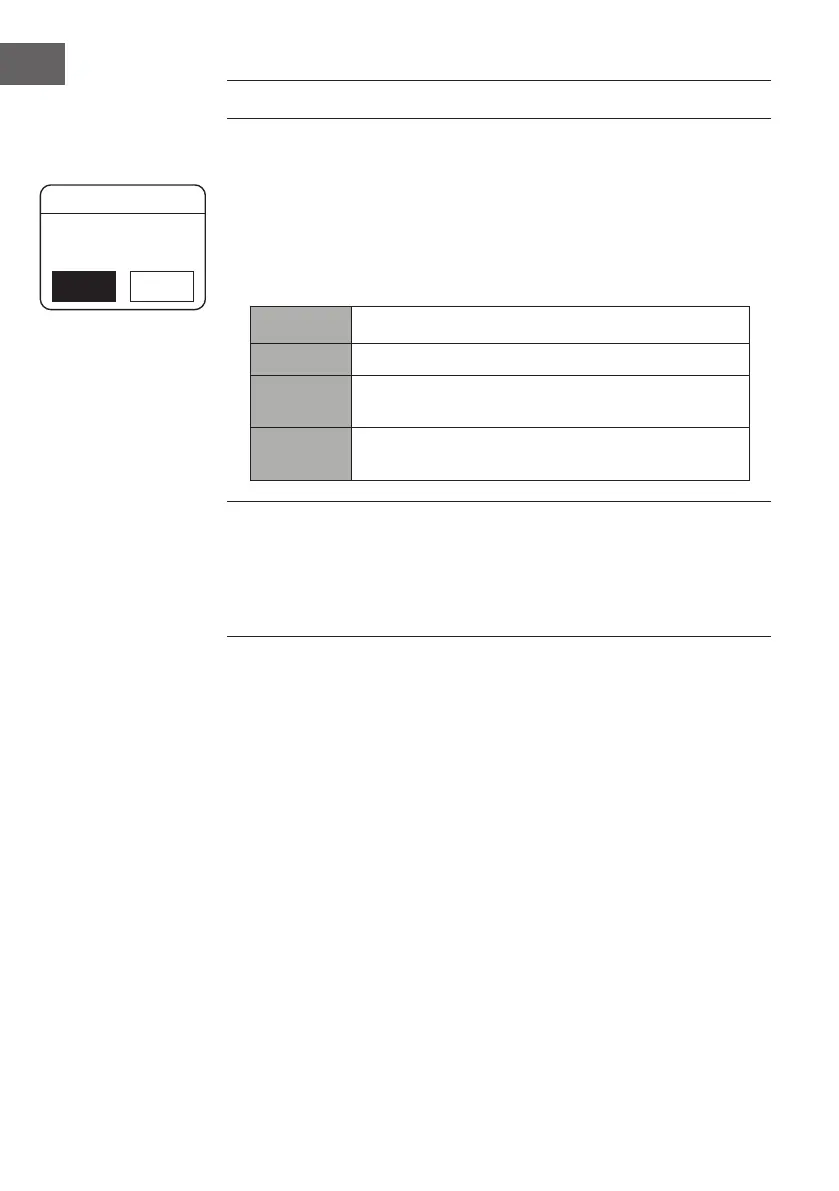
When a USB device is connected to the unit, the display shows “USB disk
attached – Open folder?” (F.5), press the SELECT button to conrm YES.
Alternatively:
During Music Player mode, press the PRESET ∧/∨ buttons to select USB
playback and press the SELECT button to conrm.
1. Press the PRESET ∧/∨ buttons to select and press the SELECT button to
conrm a MP3/WMA le.
Buttons Function
/ Press to pause playback or resume normal playback.
Press to skip to the previous track.
Press and hold to fast rewind the current track.
Press to skip to the next track.
Press and hold to fast forward the current track.
Notes:
The unit can only play MP3 and WMA le formats in USB operation.
This unit supports USB version 1.1 and 2.0.
The unit can support USB devices with up to 32GB of memory.
The unit may not be compatible with all USB devices; this is not an
indication of a problem with the unit..
Repeat Playback
During Music Player mode, press the PRESET
∧/∨ buttons to select Repeat
play and press the SELECT button repeatedly to turn repeat play on/o.
Charge Your Device
You can charge your device through the USB socket on this unit with a USB
cable (not supplied).
• The maximum current for USB charging is 1A.
• All devices for USB charging are not guaranteed.
USB disk attached -
Open folder?
YES
NO
USB playback


 To Next Page